Yiko Yiko
Website design
Overview
Getting Started
Users
Prototype
Working directly with the bakery to design a website for both mobile and desktop.
Timeline
Context
Finding a Client
Meeting our Client
Mission Statement:
Understanding the User
Mood & Aesthetic
Jan 2025-Mar 2025
For our class COGS 187B (Practicum in Professional Web Design) we acted as freelance designers by directly reaching out to real-world clients to offer our web design services. Our team partnered with YikoYiko, a small business that didn’t have an existing website. This meant we were responsible for building their web presence entirely from scratch—designing both desktop and mobile versions tailored to their needs and preferences.
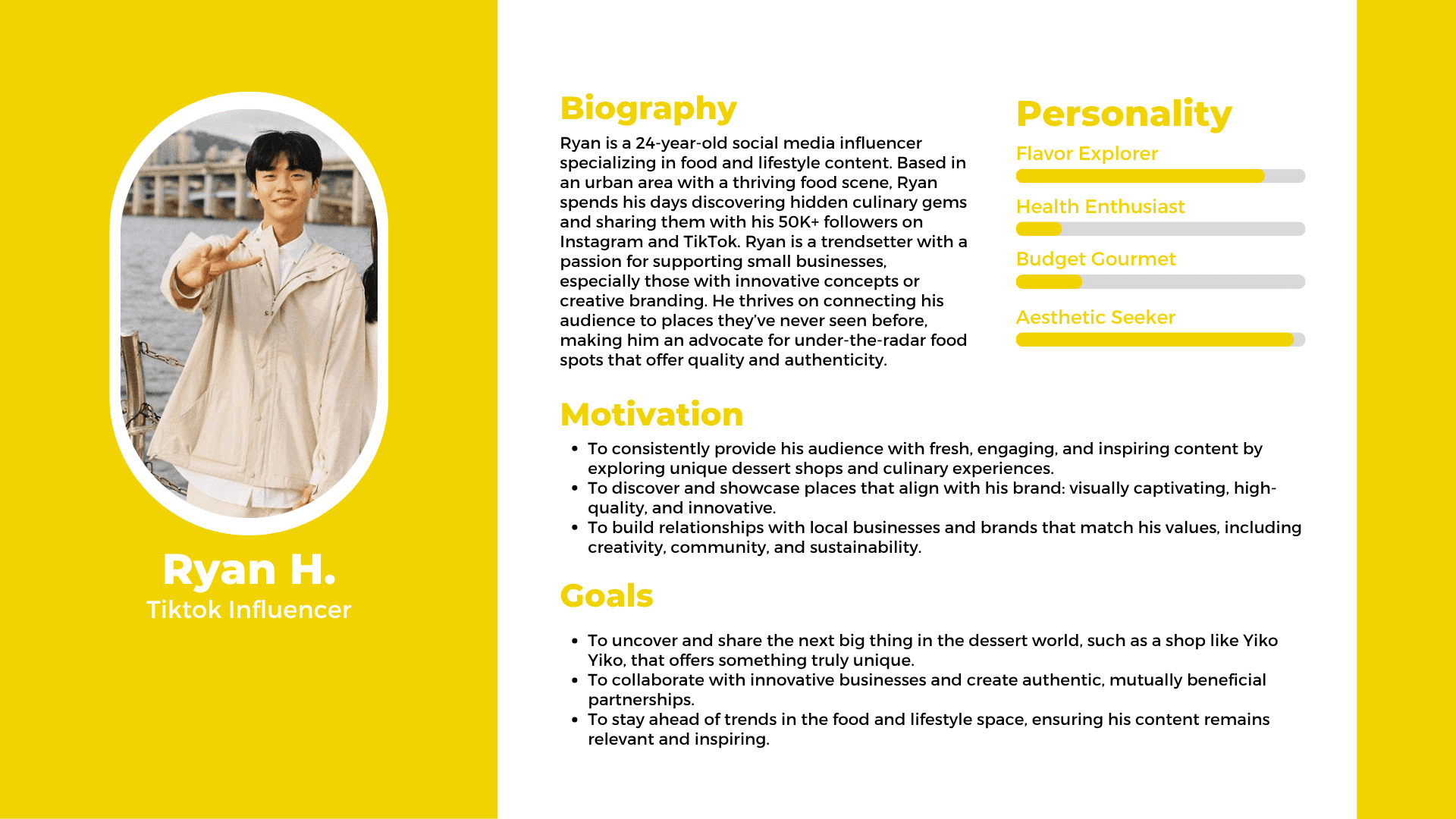
Based on Yiko Yiko’s business goals and client feedback, we identified three general customer types to guide our user research and design decisions. We also created sample user personas to reflect these groups:
Frequent Customer: Often parents or health-conscious individuals who return weekly or multiple times a month. They value Yiko Yiko’s unique Asian desserts, often ordering takeout or visiting for special occasions.
Non-Frequent Customer: Someone who has visited once or twice to try out the café. They appreciate the cozy ambiance, study-friendly environment, and outlets for charging—making it an inviting spot to relax while enjoying desserts.
Potential Customer: People interested in aesthetic, Instagram-worthy desserts or customized cakes for special events. They may be looking for healthier options or simply enjoy exploring new and visually appealing treats.
Our first step was finding a client. We had to cold-call businesses, research whether they had a website, and assess if they might benefit from a redesign. The process was tedious and competitive—many businesses didn’t respond or declined our offer. After persistent outreach, we connected with YikoYiko, who were excited to collaborate.
We met with Yiko Yiko in person to understand their vision and begin planning the website from the ground up. They shared their story, background, and brand values, which shaped the foundation of our design process. Based on our conversation, here were some of their key requests:
Playful & Interactive Feel: Wanted the site to be fun, cute, and engaging to reflect their brand personality.
Clear Branding: Emphasized a clean, simple layout using cheerful yellow tones and playful elements that bring joy to customers.
Highlighting Their Story: Requested strong storytelling around their handmade, fresh, and healthier dessert options—rooted in a family-friendly, heartfelt mission.
Clear Menu Structure: Needed to showcase all products clearly, including seasonal items and differentiating types of cakes and desserts.
Custom Cake Ordering Page: Wanted to streamline the current WeChat-based ordering process by creating a proper order form on the site.
Essential Info Section: Asked to include business hours and a message that they are open daily to spread happiness.
UI/UX Designer/ Project Manager
4 Designers
Wireframing, Prototyping,
Visual Design,
Project Management
Role
Team
Key Skills
We aim to create a playful, heartwarming, and easy-to-navigate website for Yiko Yiko that highlights their handmade, health-conscious desserts—by clearly showcasing their story, menu, and custom order process in a way that brings joy to families and strengthens their connection with the community.
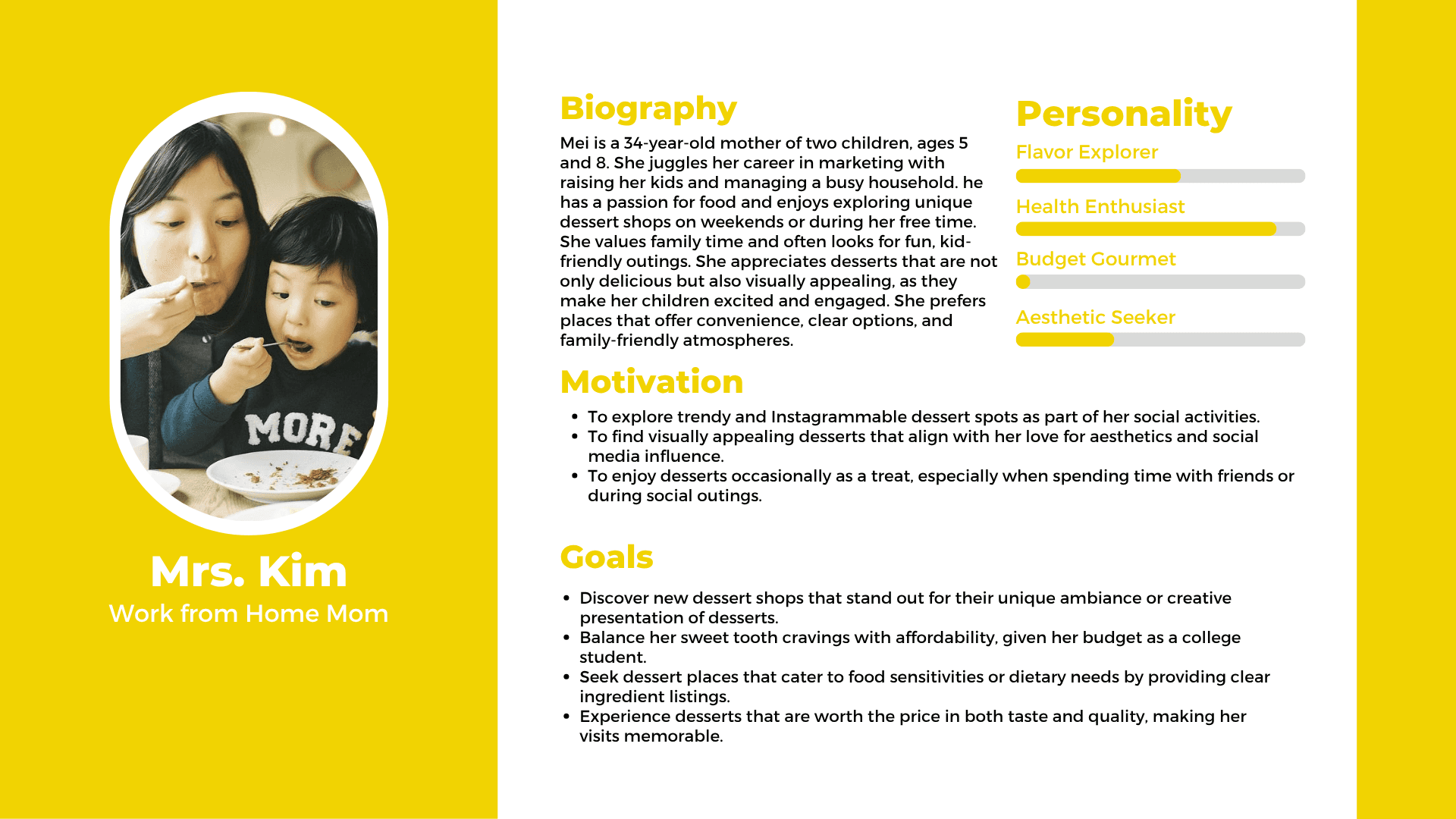
Our frequent customer persona, Mrs. Kim, is a work-from-home mom who cares deeply about her children’s health but also wants them to enjoy fun and delicious sweet treats. She appreciates the thoughtful details and quality that go into each dessert.
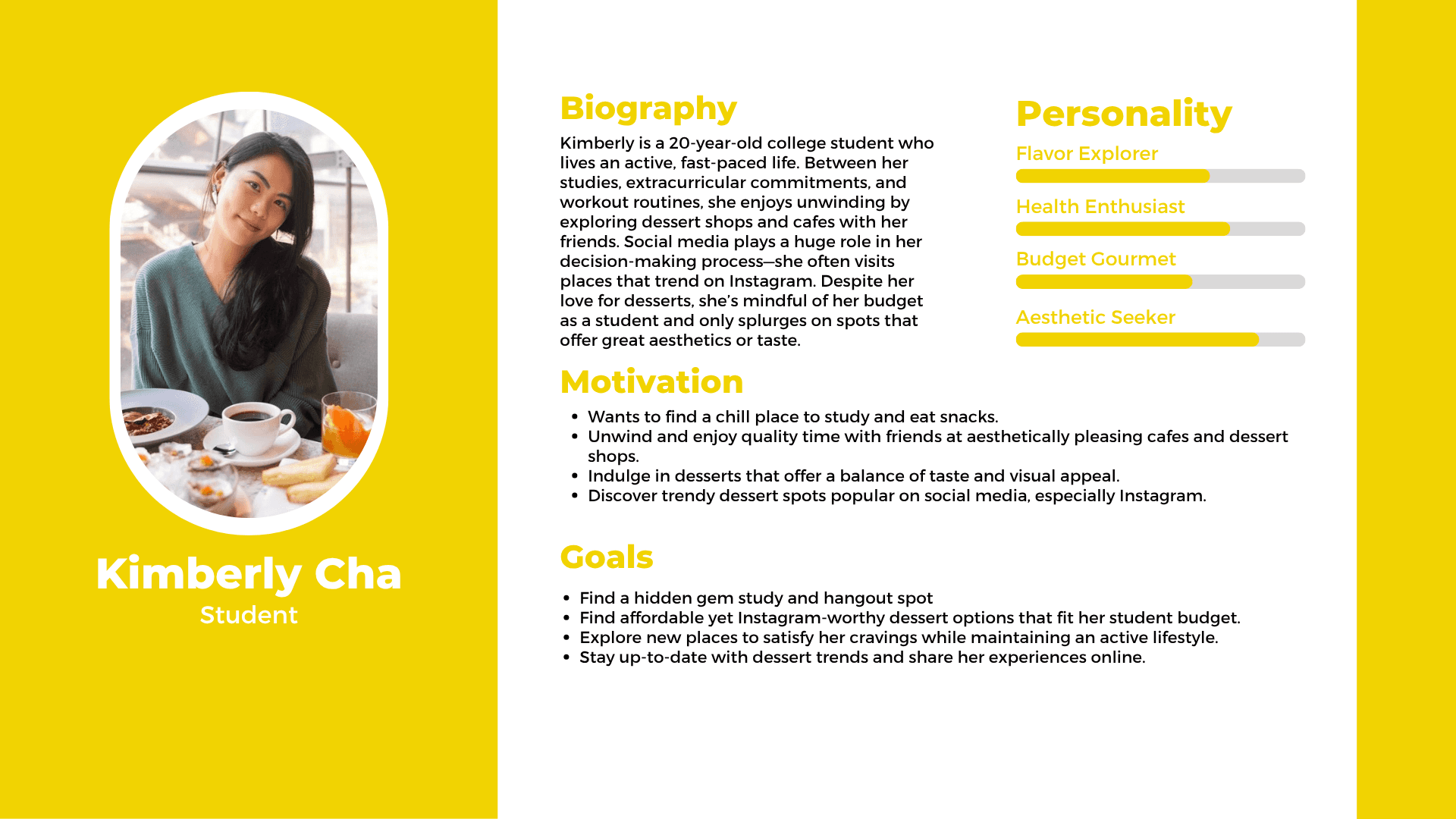
Our non-frequent customer persona, Kimberly, is a student who enjoys studying at cafes and likes to treat herself to a sweet snack while working. She’s drawn to cozy interiors and often tries the most popular menu items.
Our potential customer persona, Ryan, is an influencer attracted to Yiko Yiko’s aesthetic. He’s interested in exploring the interior design and sharing the visually appealing desserts with his followers.
Branding Guide
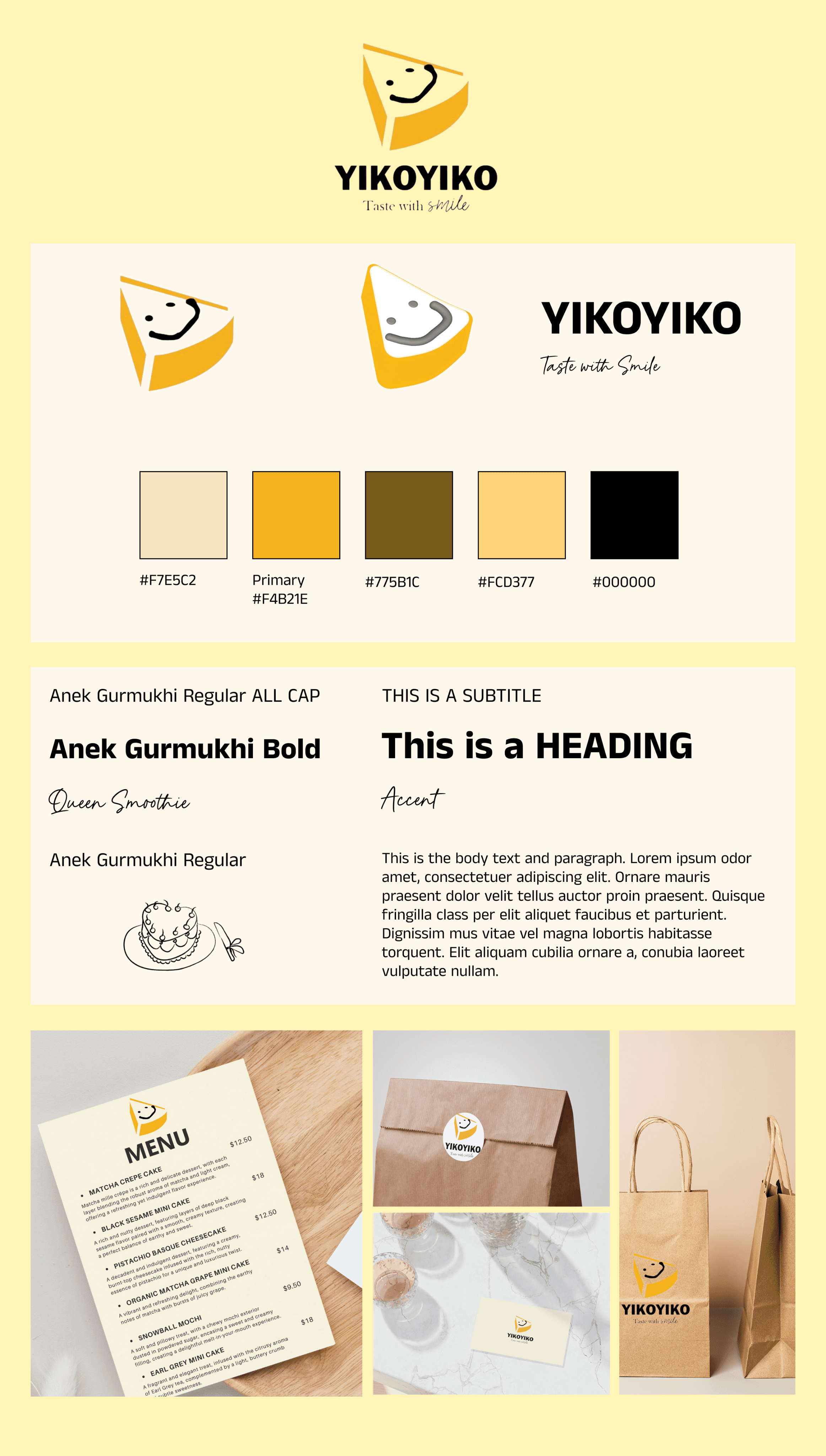
Our branding guide includes the logo variations, color palette, typography choices, and sample mockups of branded products.

Hi-fi Prototype
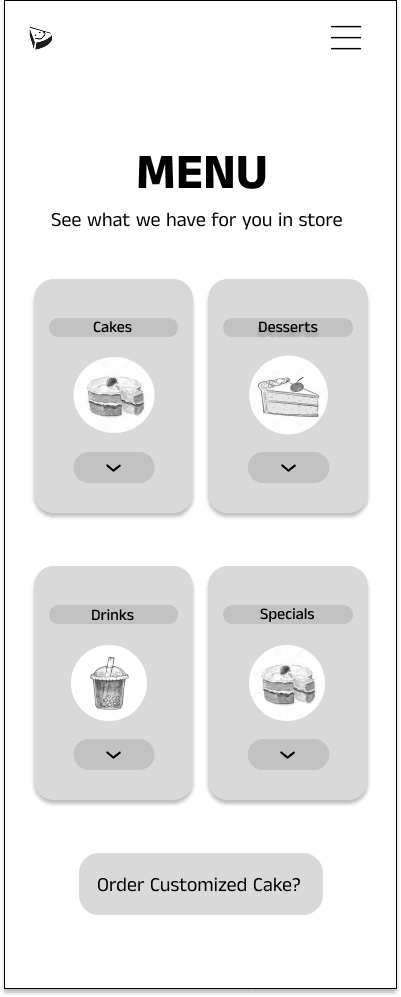
Mobile: Mid-fi Prototype
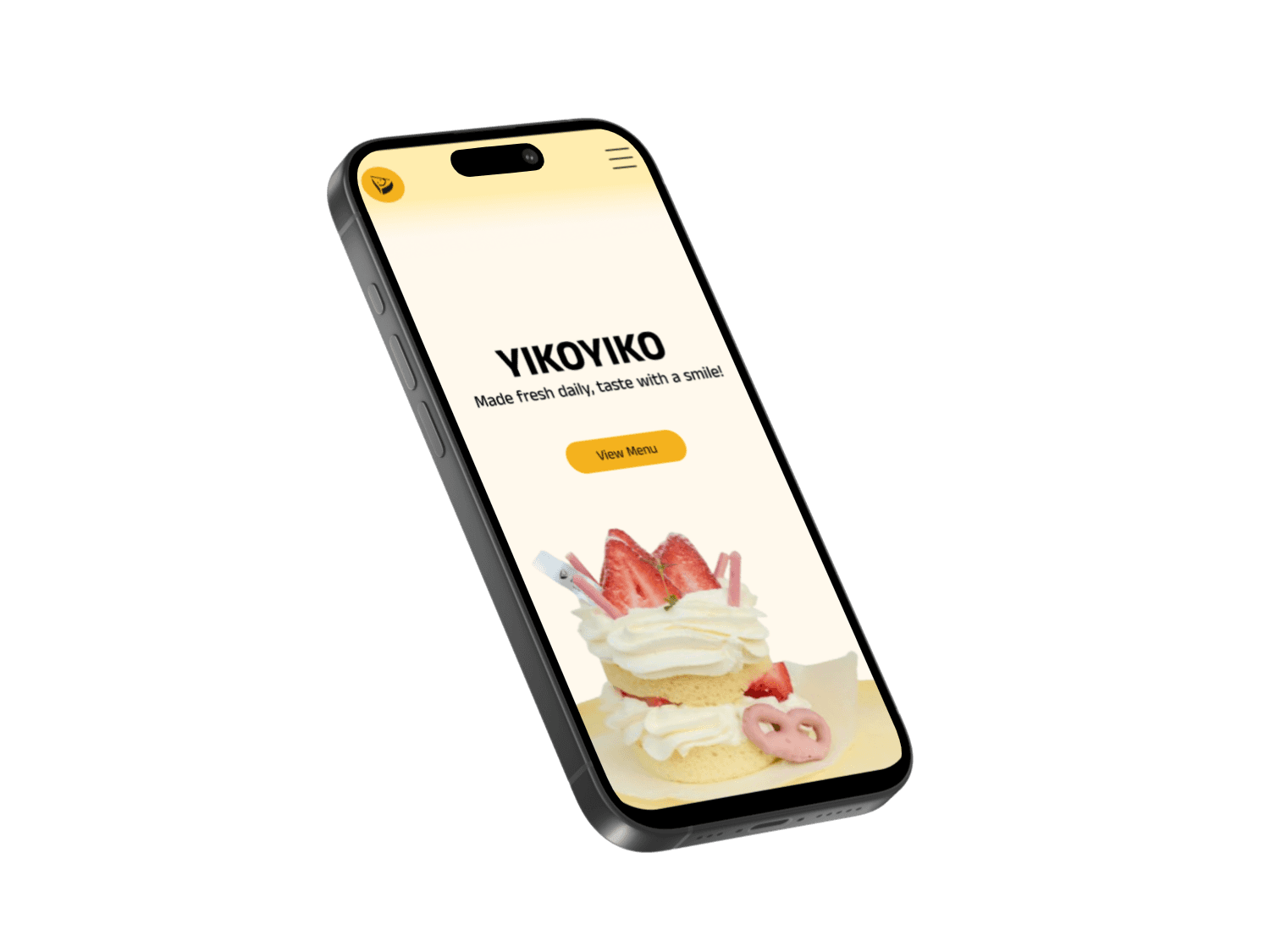
Mobile: Hi-fi Prototype
Landing and Navigation Pages
Based on user testing, we refined our high-fidelity prototype by incorporating Yiko Yiko’s branding and color palette, improving key features, enhancing overall flow and navigation, addressing information architecture concerns, and increasing the visibility of important elements.
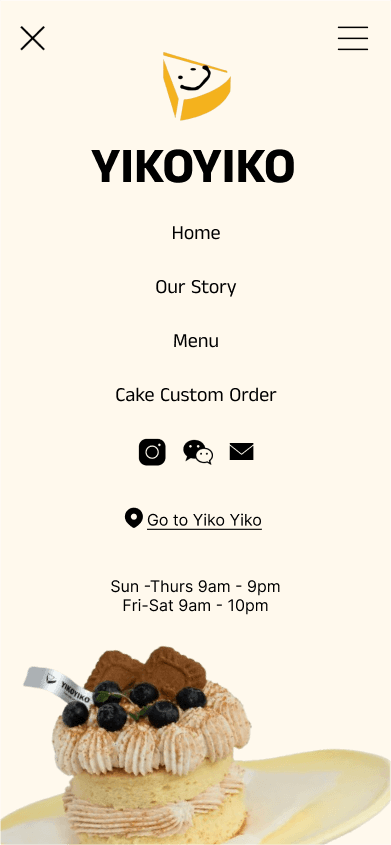
When users first enter the site, they are greeted with a landing page featuring an animation where the logo and text pop out, creating a fun and interactive experience. We designed the mobile navigation to be full-screen for clarity, ensuring it connects seamlessly to all main pages while also displaying essential information like operating hours and location for easy access.
Menu
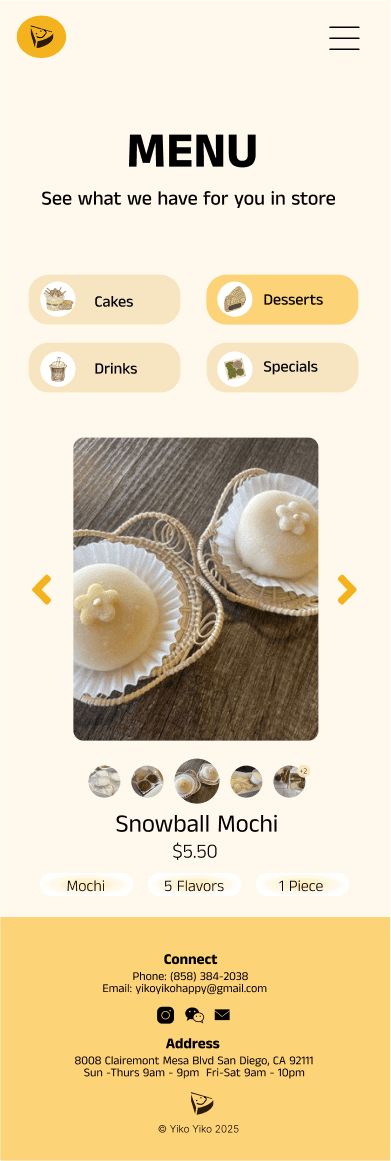
Just like in the mid-fidelity prototype, our high-fidelity design categorizes Yiko Yiko’s offerings clearly, allowing users to browse between different product categories and cake types. Users can also easily customize and order cakes. We improved the clarity of labels to better reflect how each item is sold.
Home page and Our Story Page
For the home page, we clarified the individual product images to better show what each item is, and we included interior photos of Yiko Yiko to highlight the store’s atmosphere. On the “Our Story” page, we simplified the design by reducing text in the About Us section, making the brand values more concise, and adding a clear call-to-action that directs users to the cake customization page.
Cake Customization
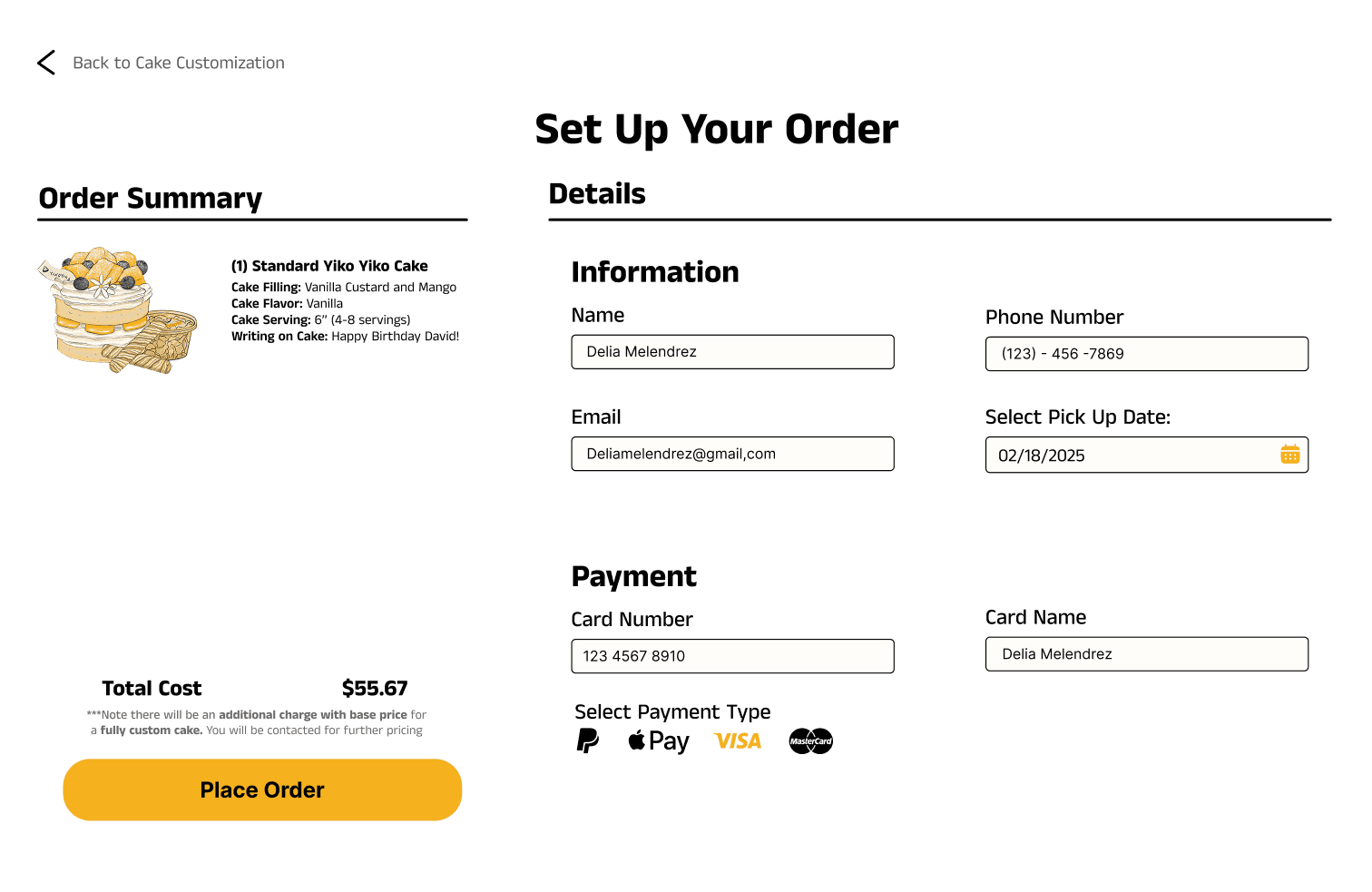
For the cake ordering process, we made the labels more intuitive and added the option for users to upload a reference image along with notes describing their desired design—on top of the basic customization options. After placing an order, users are guided through a streamlined checkout process. We updated the payment section to integrate with third-party services for enhanced security. An order summary shows all customizations and the final price, followed by a confirmation pop-up to assure the user their order was successfully placed.
Our mid-fidelity prototype incorporated images and all the key features requested by our client. The main pages include:
Home Page: Highlights seasonal items, introduces Yiko Yiko’s story, includes navigation buttons to other pages, and displays operational hours.
Our Story Page: Showcases what makes Yiko Yiko unique, sharing their background and what sets them apart from other bakeries.
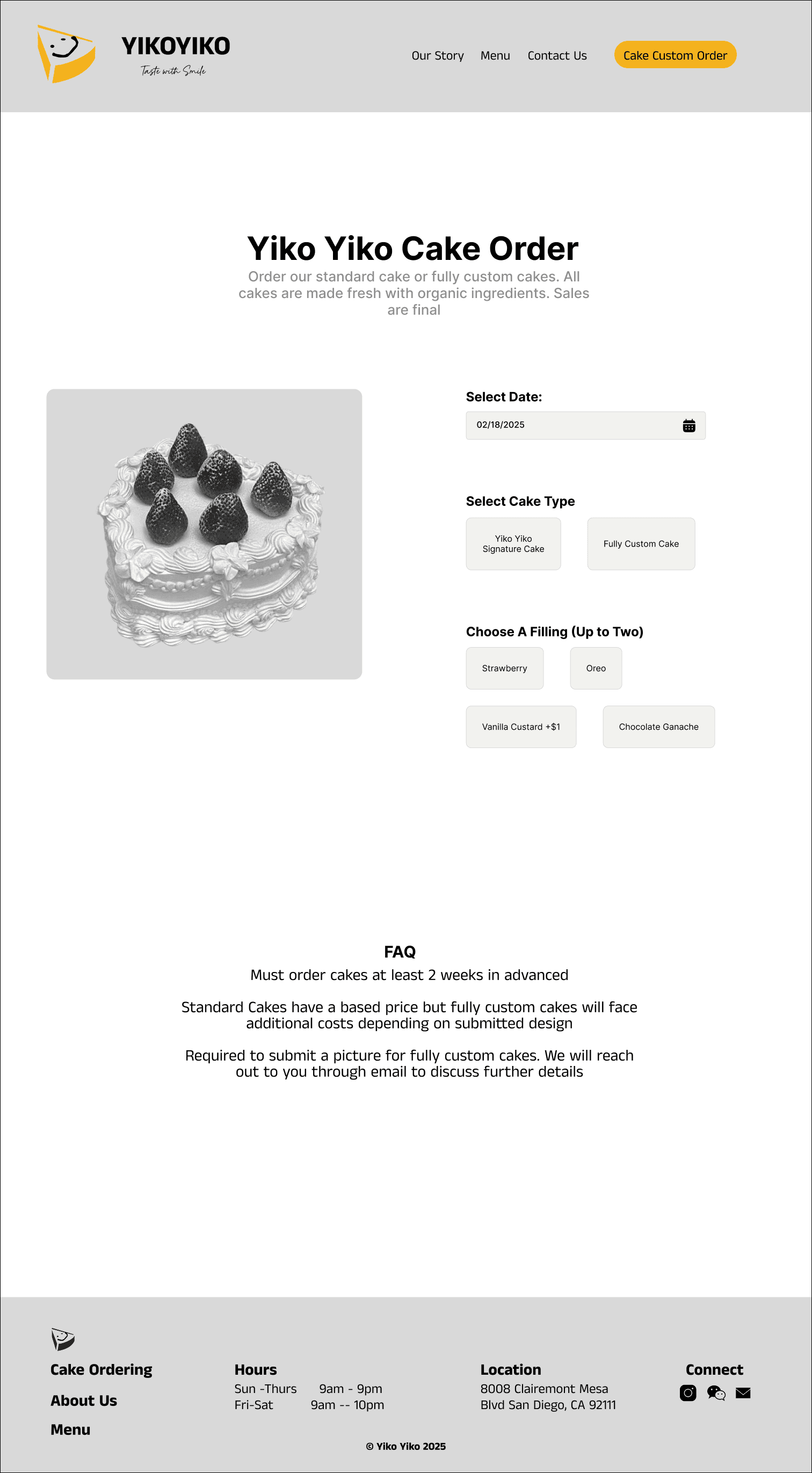
Cake Order Page: Outlines the cake ordering process, including basic questions and customization options for a streamlined user experience.
Desktop: Mid-fi Prototype
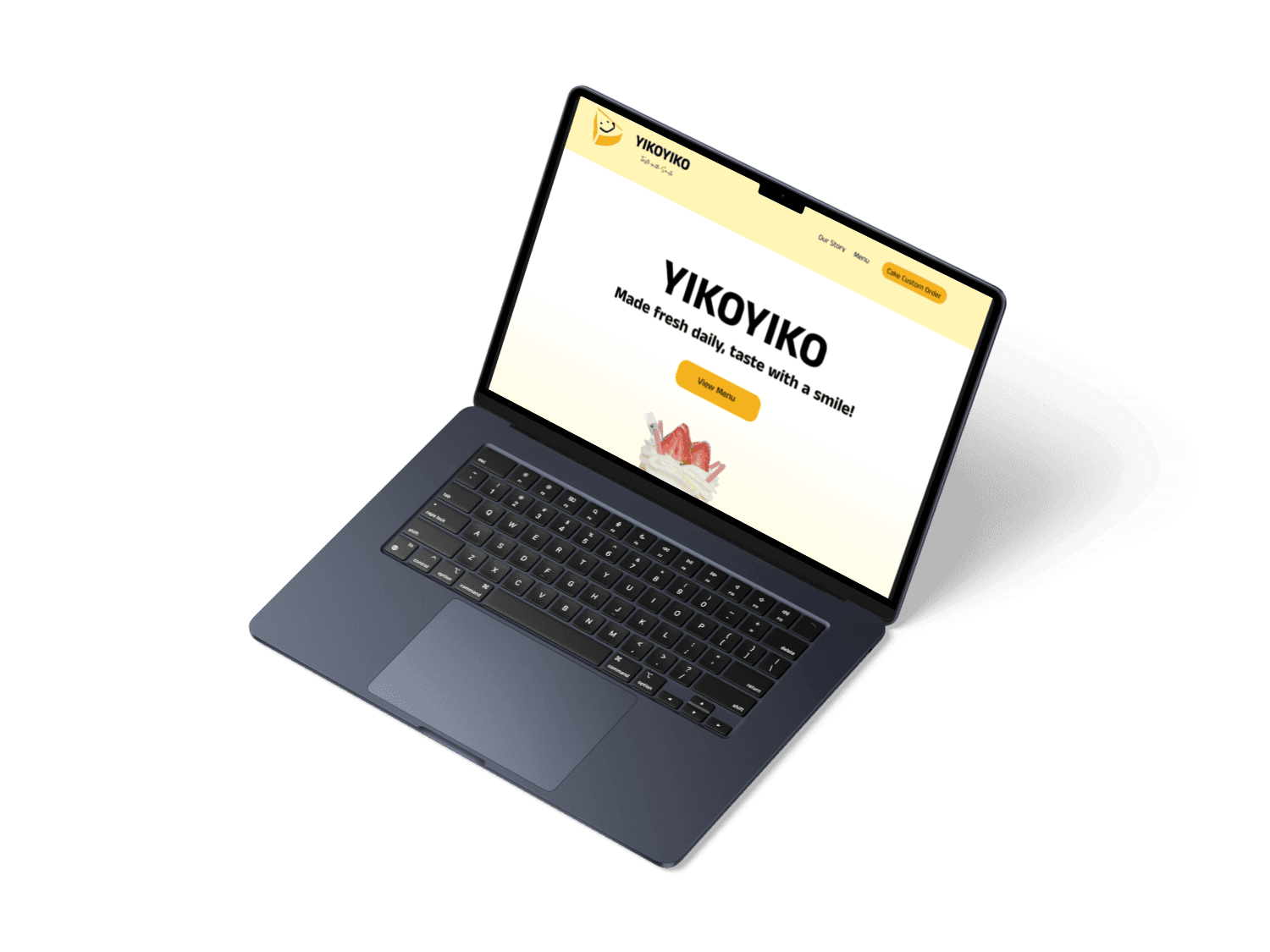
We translated our initial mobile design into a desktop version, scaling elements appropriately and enhancing visuals to create a more engaging and fun user experience.
Landing Page: When the website first opens, it displays the Yiko Yiko logo prominently, creating a welcoming and branded first impression for customers.
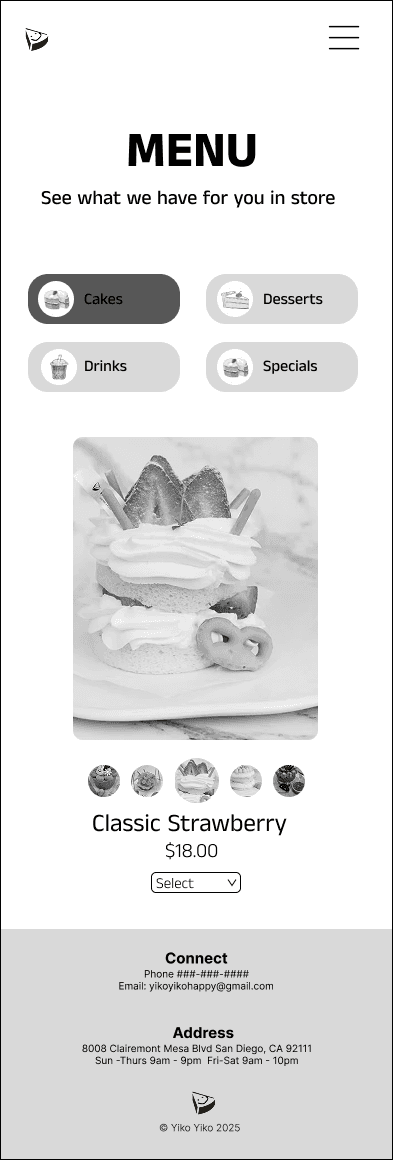
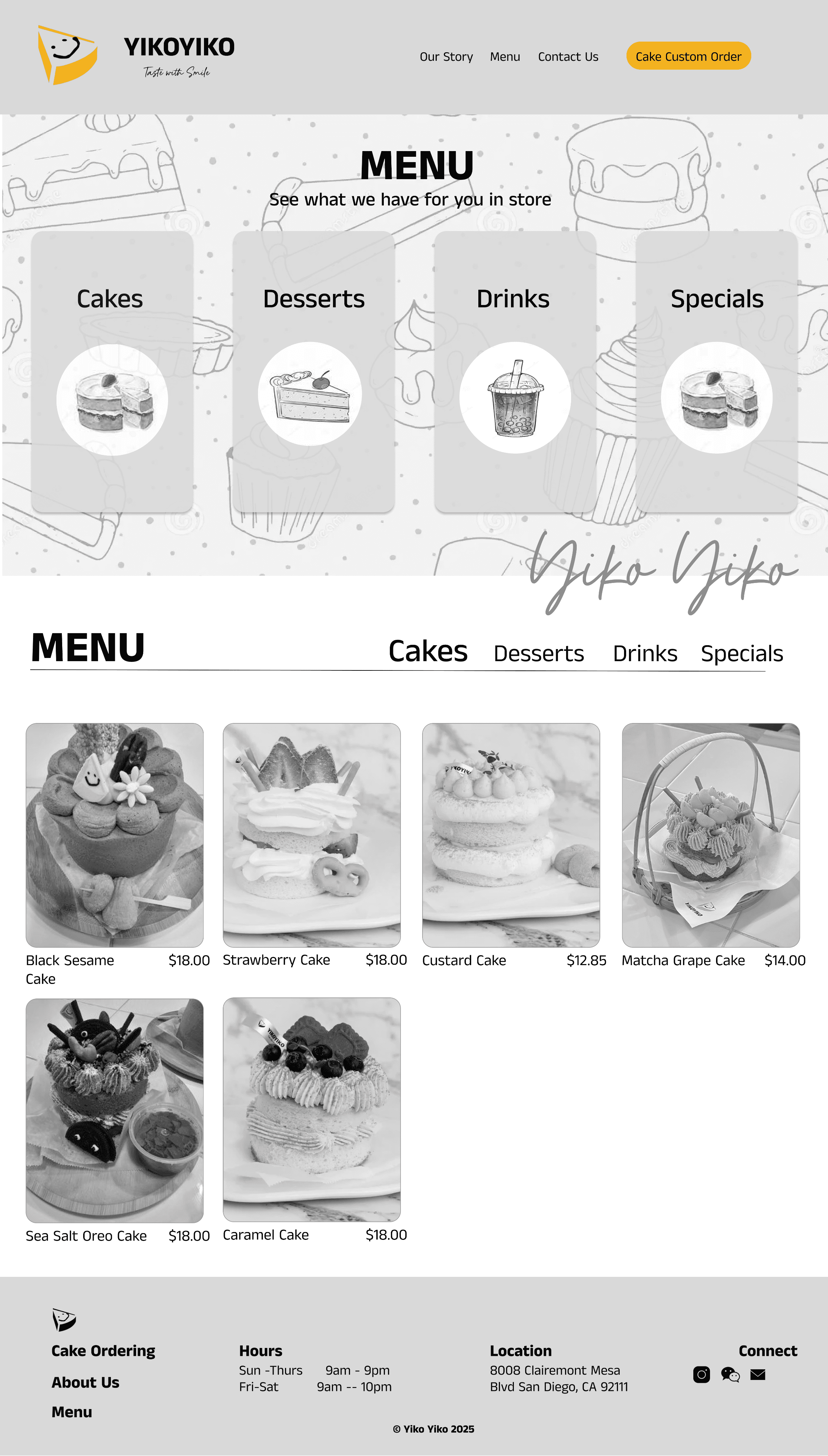
Menu Page: This page showcases the full dessert menu. Users can view each item by category, along with key details such as price, available flavors, and basic ingredients.
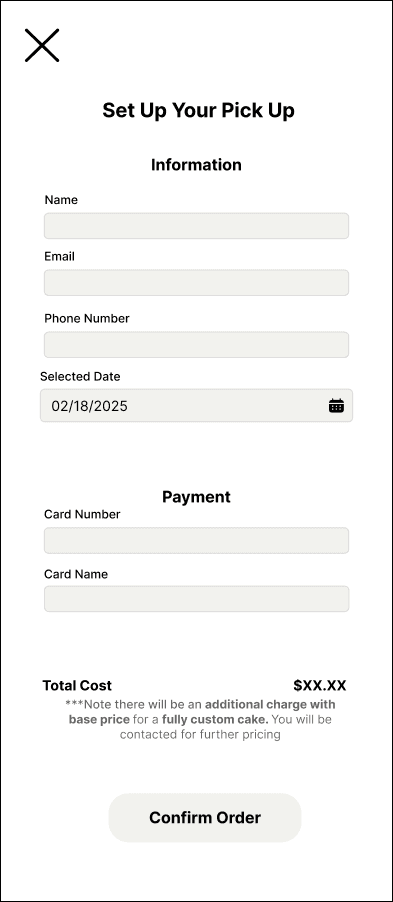
Cake Pick-Up Page: After customizing their cake, customers fill out their contact and payment information to complete their order and receive a confirmation for pick-up.




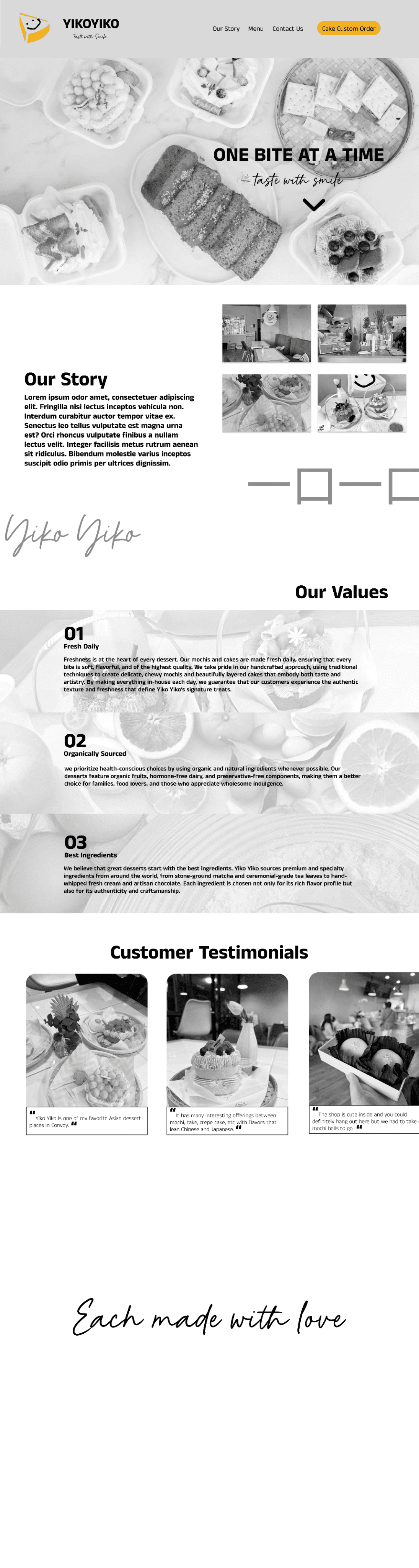
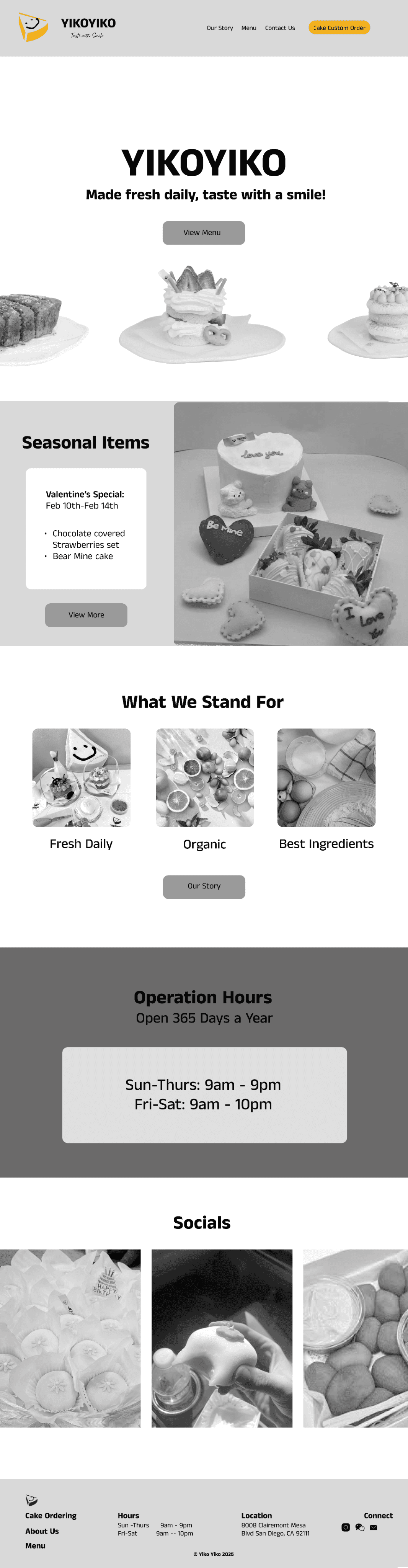
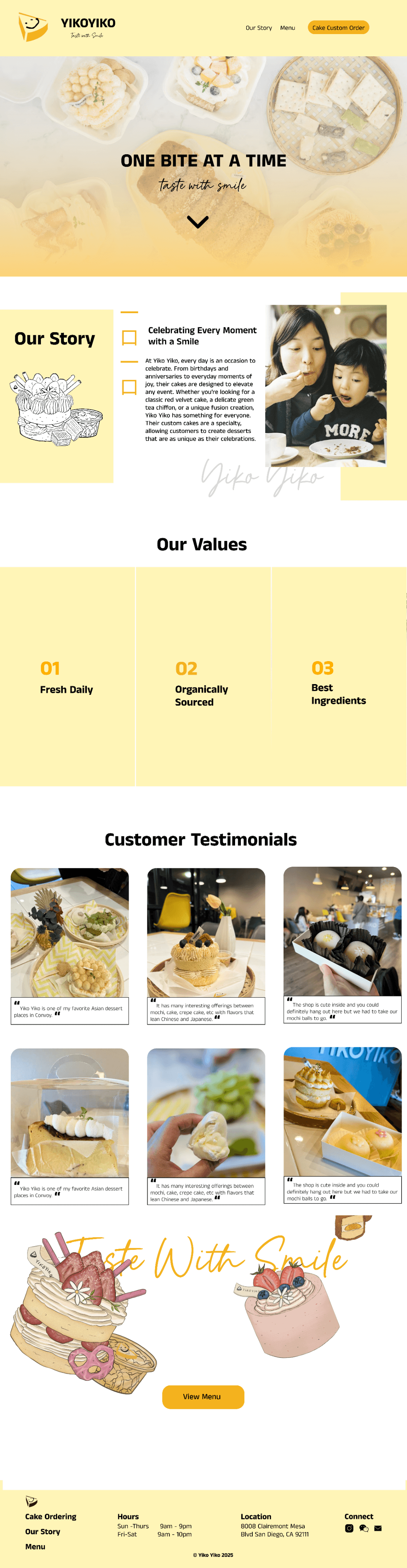
Here is the Home page along with the Our Story page, both designed to be highly visual and engaging for users.
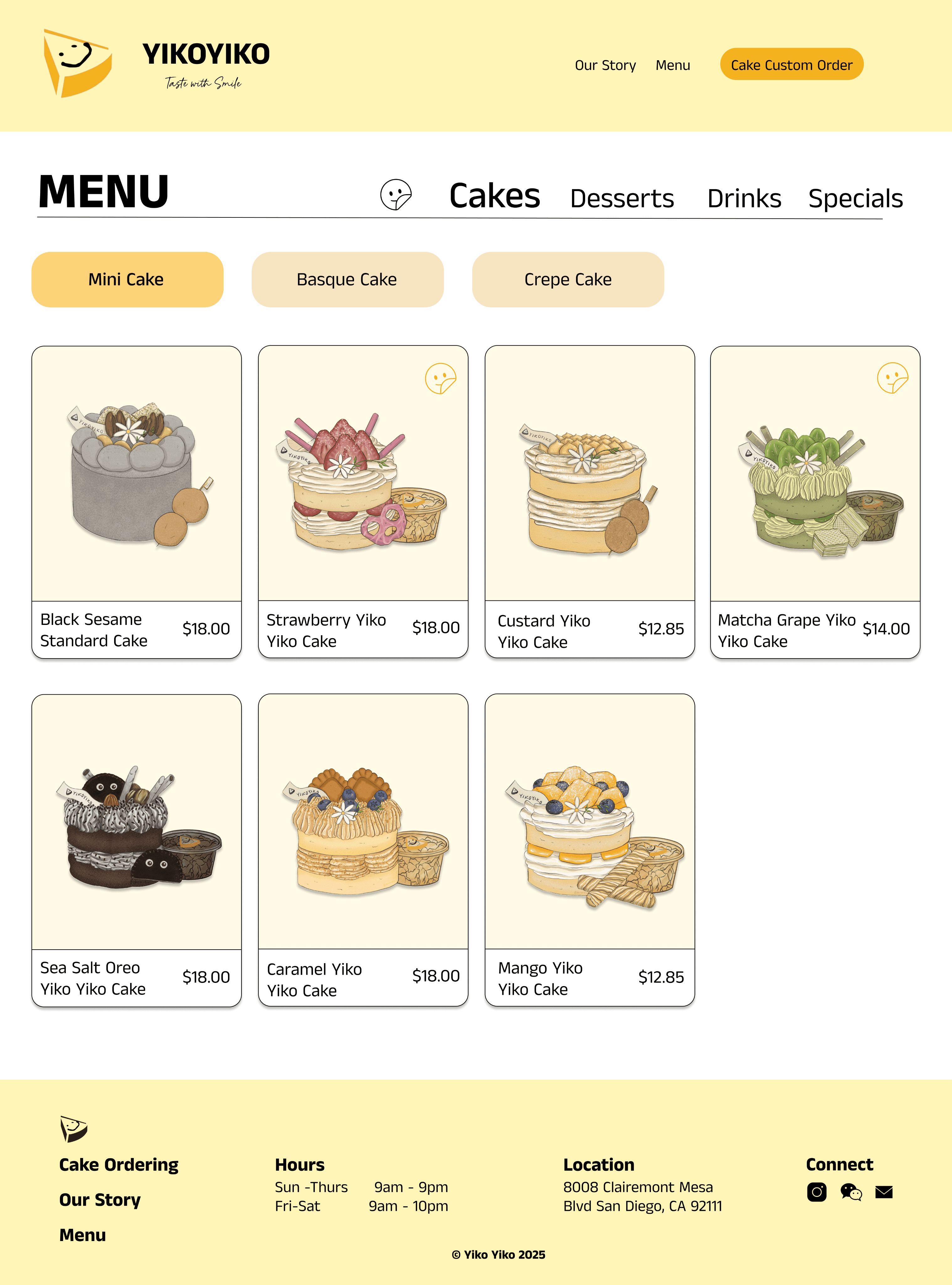
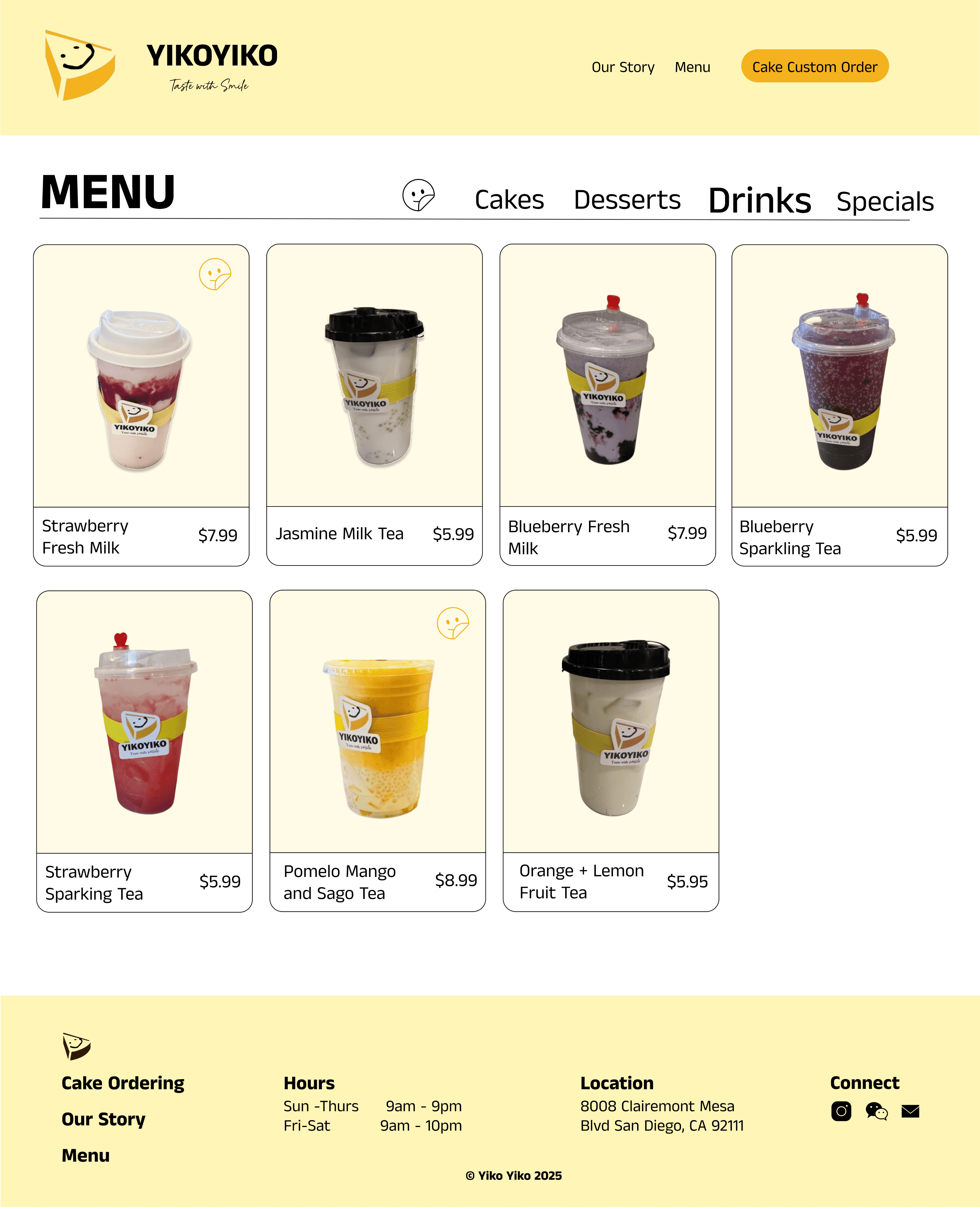
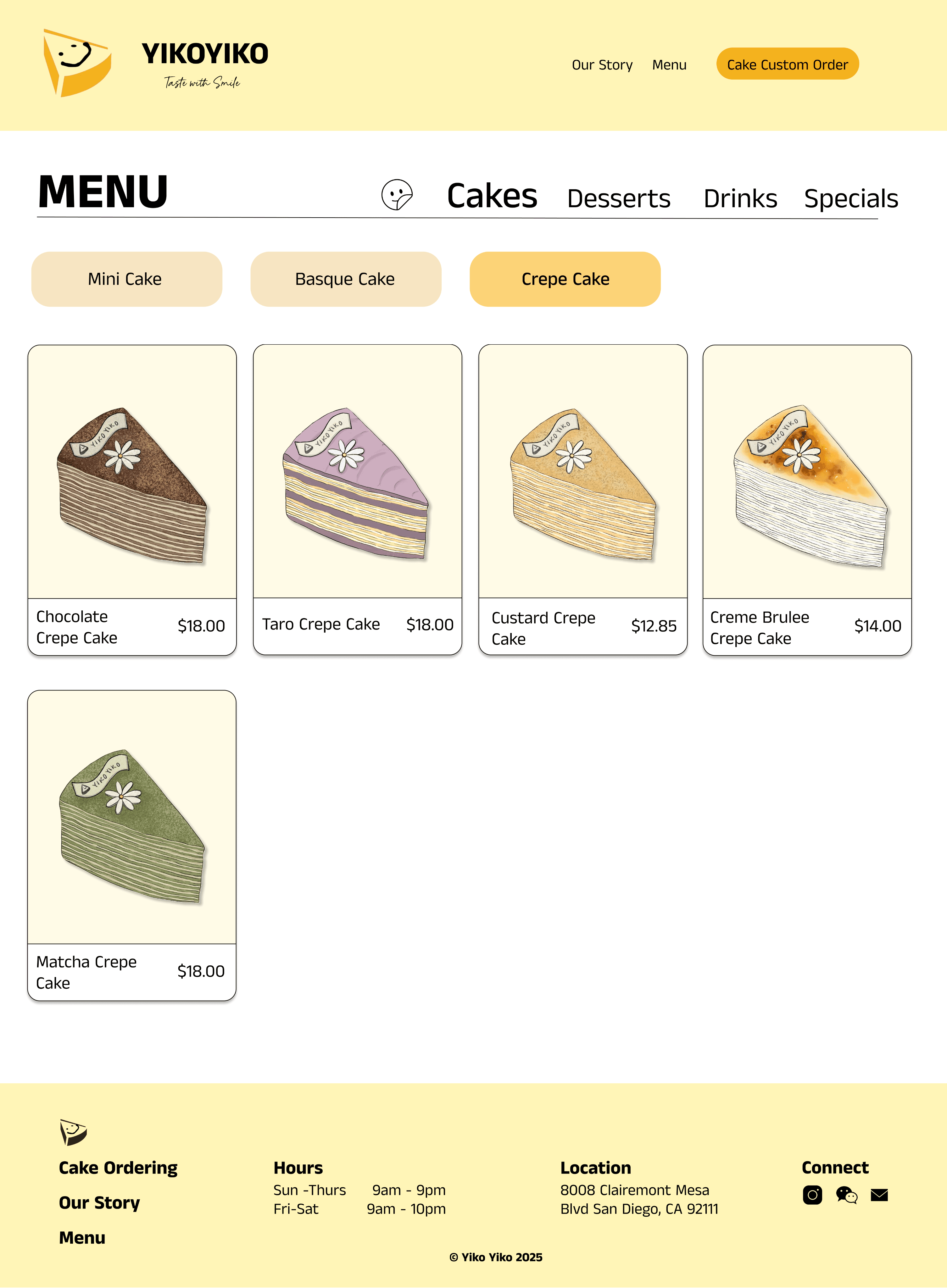
The Menu page showcases different categories of desserts, with individual item pages that highlight details like flavor and ingredients. The Cake Order page includes customization options and incorporates a helpful FAQ section.

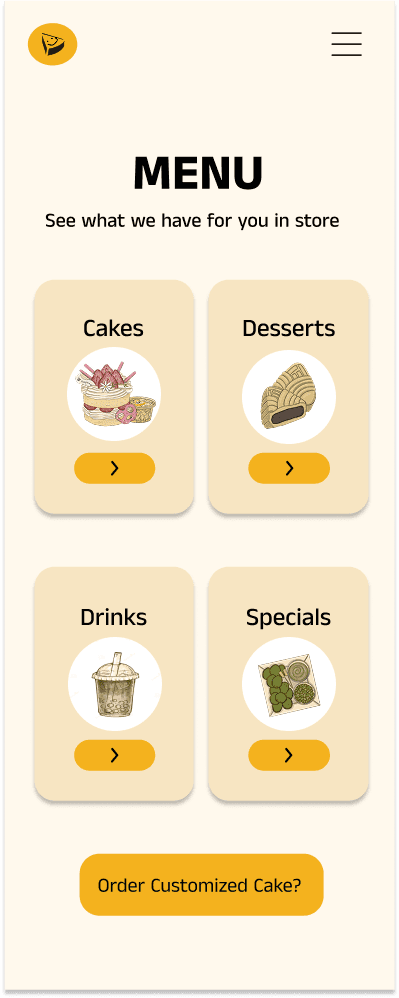
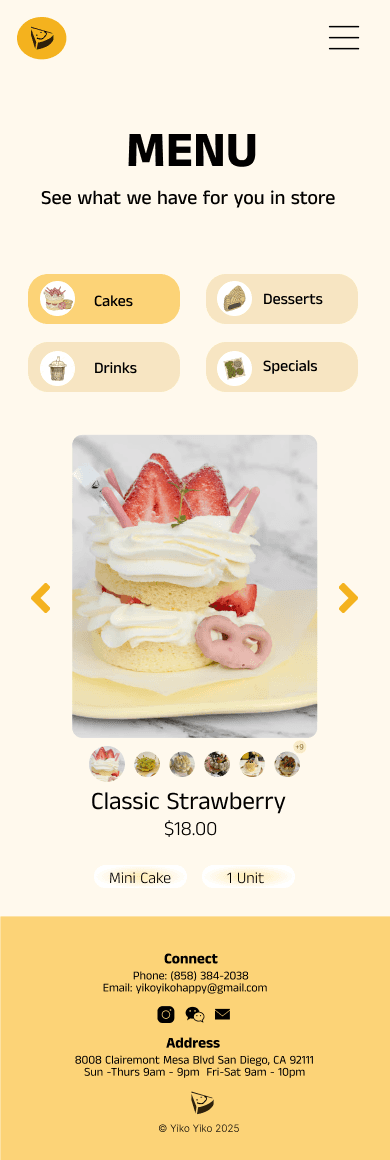



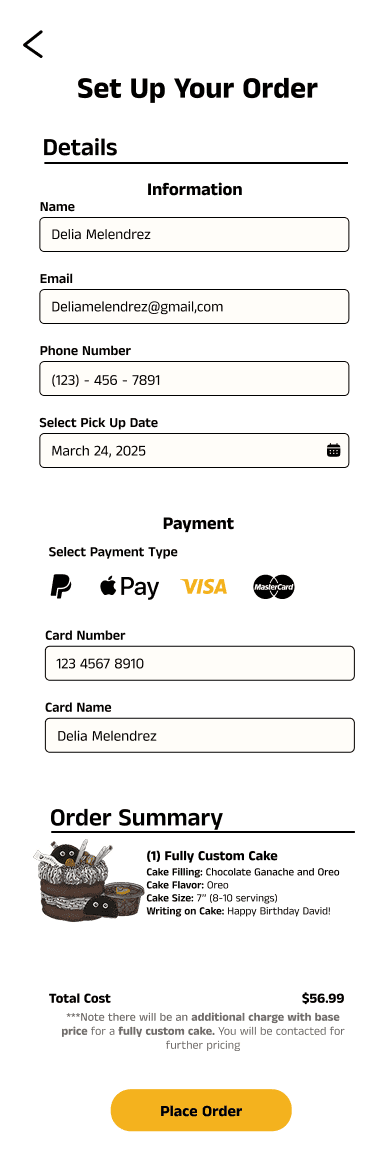
Mobile Prototype
Desktop: Hi-fi Prototype
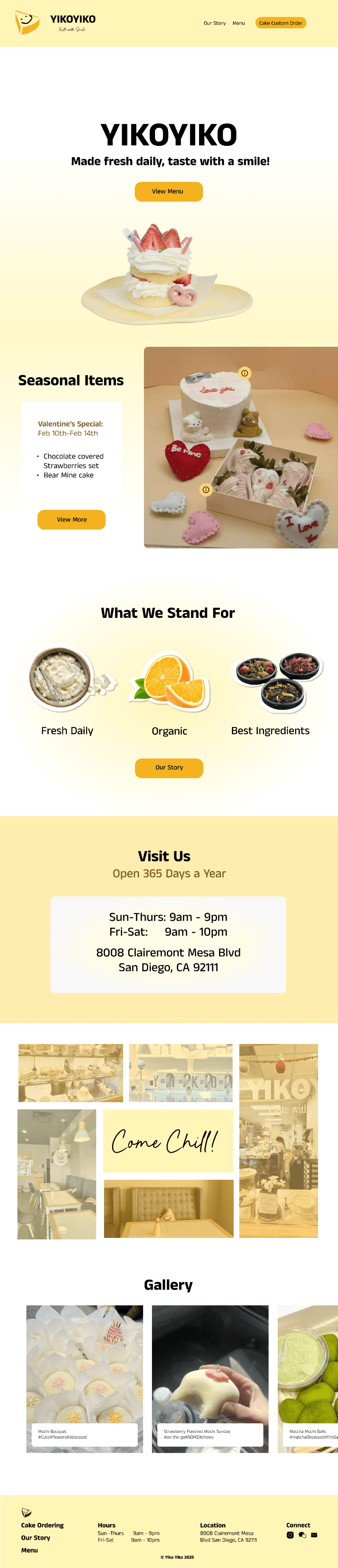
For our desktop prototype, we made the experience much more interactive and engaging compared to the mid-fidelity version. We incorporated hover effects, clickable elements, and clarified key sections to enhance usability and user enjoyment.
Home Page:
Features animation of Yiko Yiko desserts on entry.
Applied cohesive design through radial and linear gradients.
Hover buttons reveal more information about seasonal items.
"What We Stand For" images were carefully chosen and include subtle movement on hover.
Store interior is showcased through hoverable images that provide a clearer view.
Integrated a gallery section that displays social media content.
Our Story Page:
Text was shortened to be more concise and targeted at the main audience.
Emphasized visual storytelling to convey joy and warmth.
Brand values are interactive—hovering reveals detailed descriptions.
Testimonials animate gently, shifting left and right to enhance engagement.
The page ends with an animation of Yiko Yiko items dropping in, guiding users back to the menu page.
Menu pages:
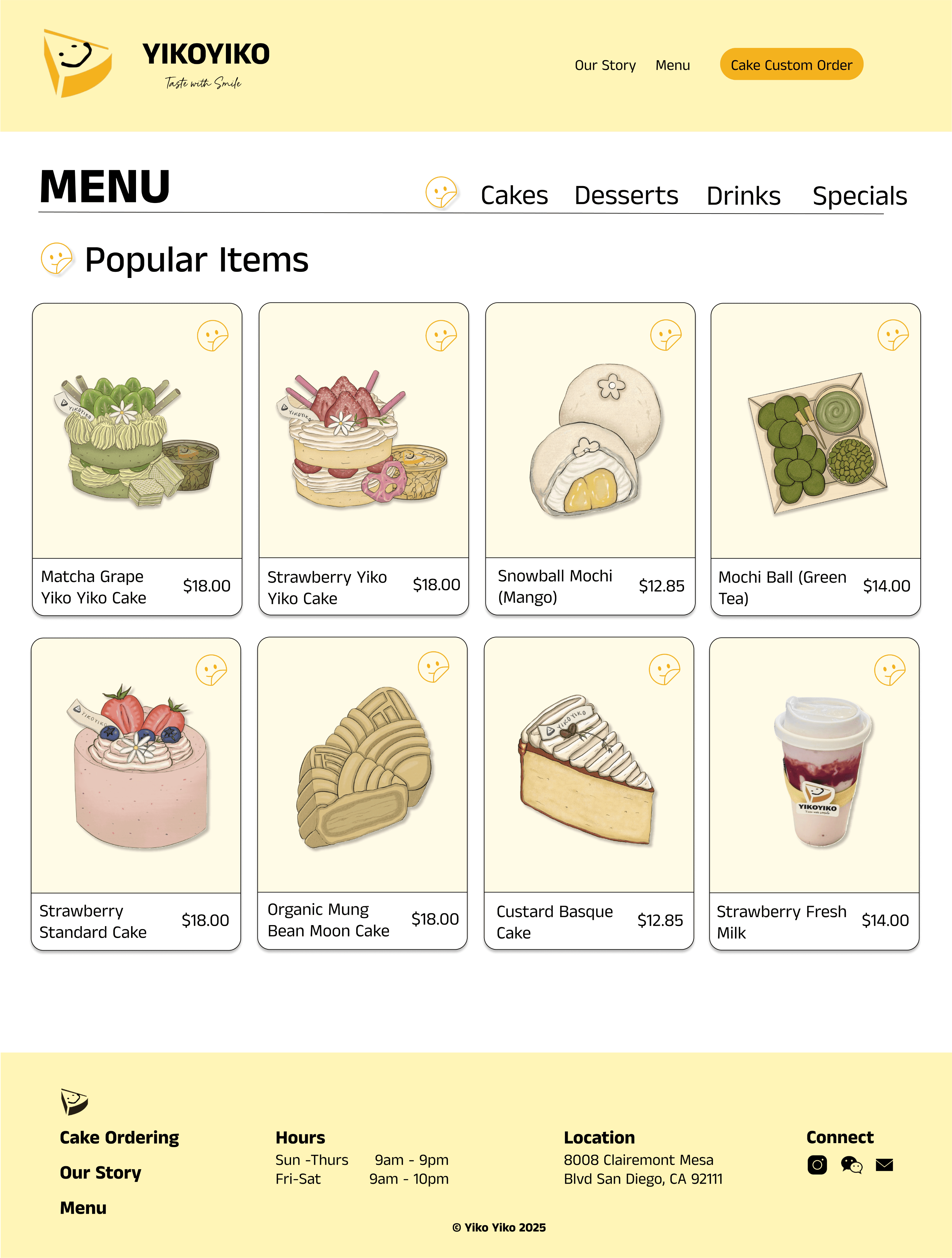
Clearly categorized by type of food, including cakes (further divided into types like Basque and Crepe), desserts (also further divided like mochi and mung bean cake), seasonal items, and drinks.
Designed to be highly visual, using illustrated images that reflect Yiko Yiko’s cute and charming brand aesthetic.
Due to the large variety of offerings, the menu uses multi-level categorization for better clarity and smoother navigation.
Each item is visually distinct, making browsing more engaging and intuitive for users.
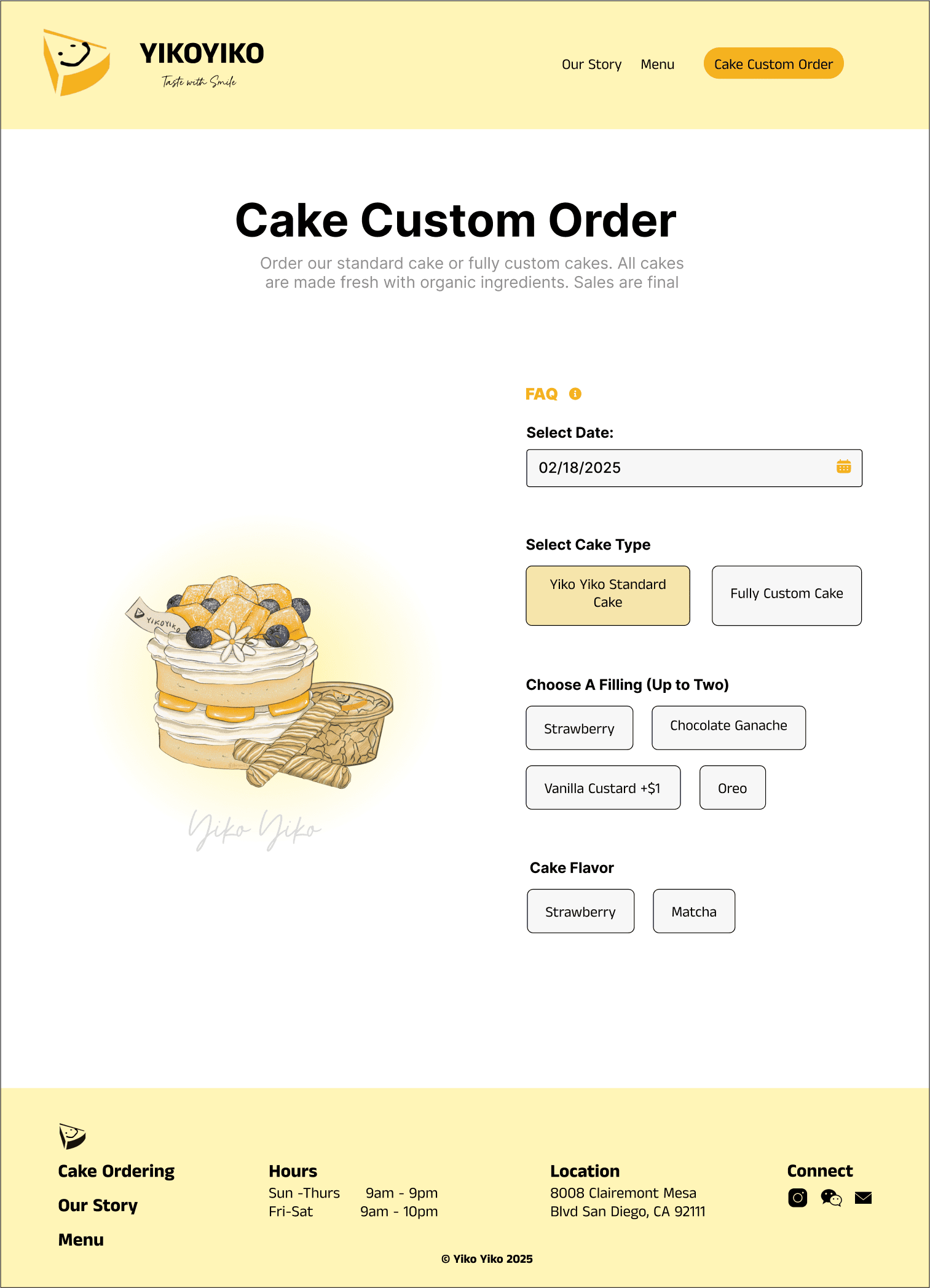
Cake Customization Page:
The custom order experience is streamlined onto a single, scrollable page for clarity and ease of use.
FAQs are accessible through a convenient pop-up, so users can get answers without leaving the page.
A calendar feature allows users to select their desired pick-up or delivery date.
After scrolling and completing the form, users can review and confirm their order, then proceed to input payment details to finalize the purchase.
Popular Items Page
Features a dedicated section for the most popular items, marked with a happy face symbol to align with Yiko Yiko’s cheerful branding.
Item cards are visually digestible and include icons for quick understanding.
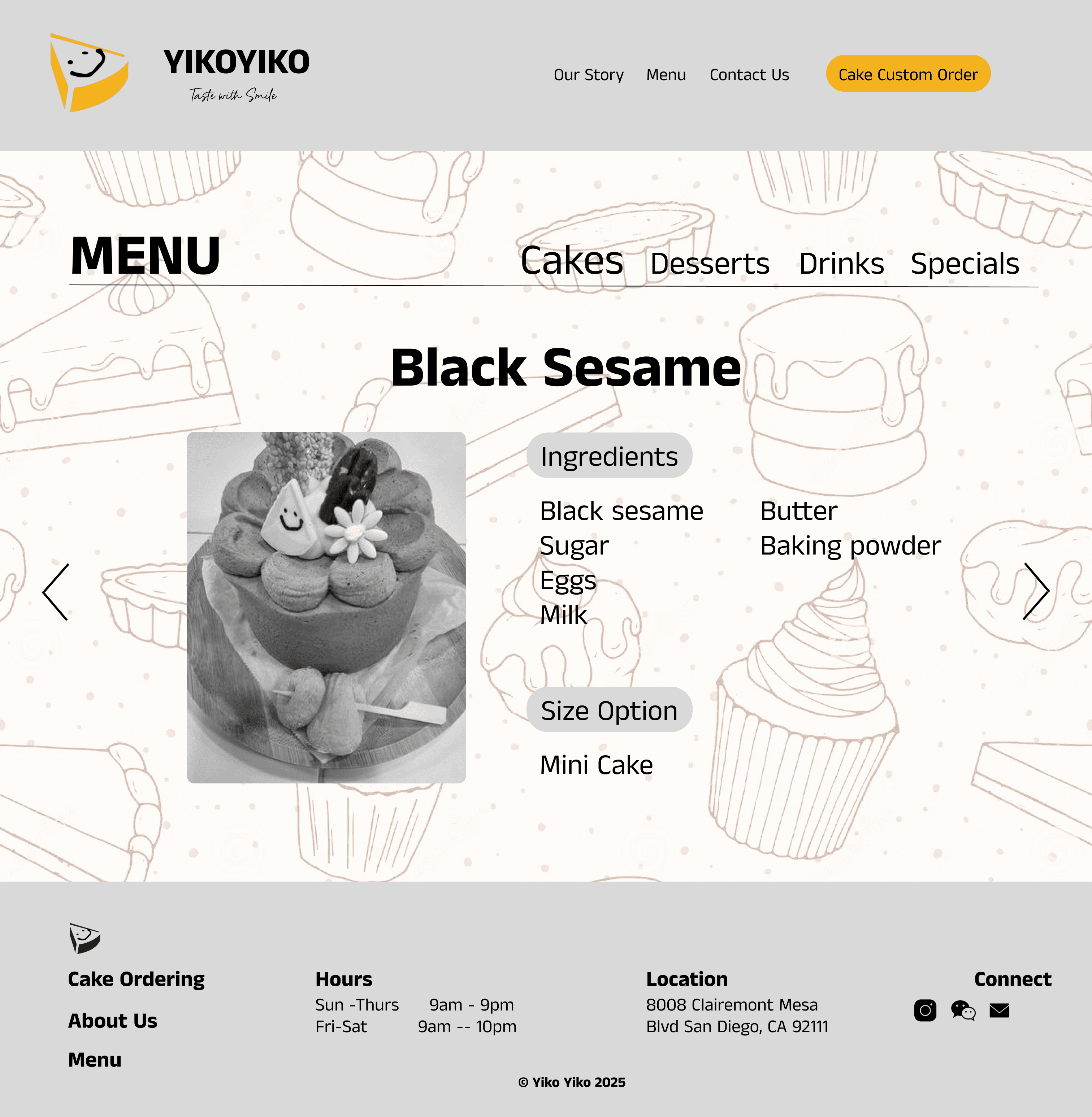
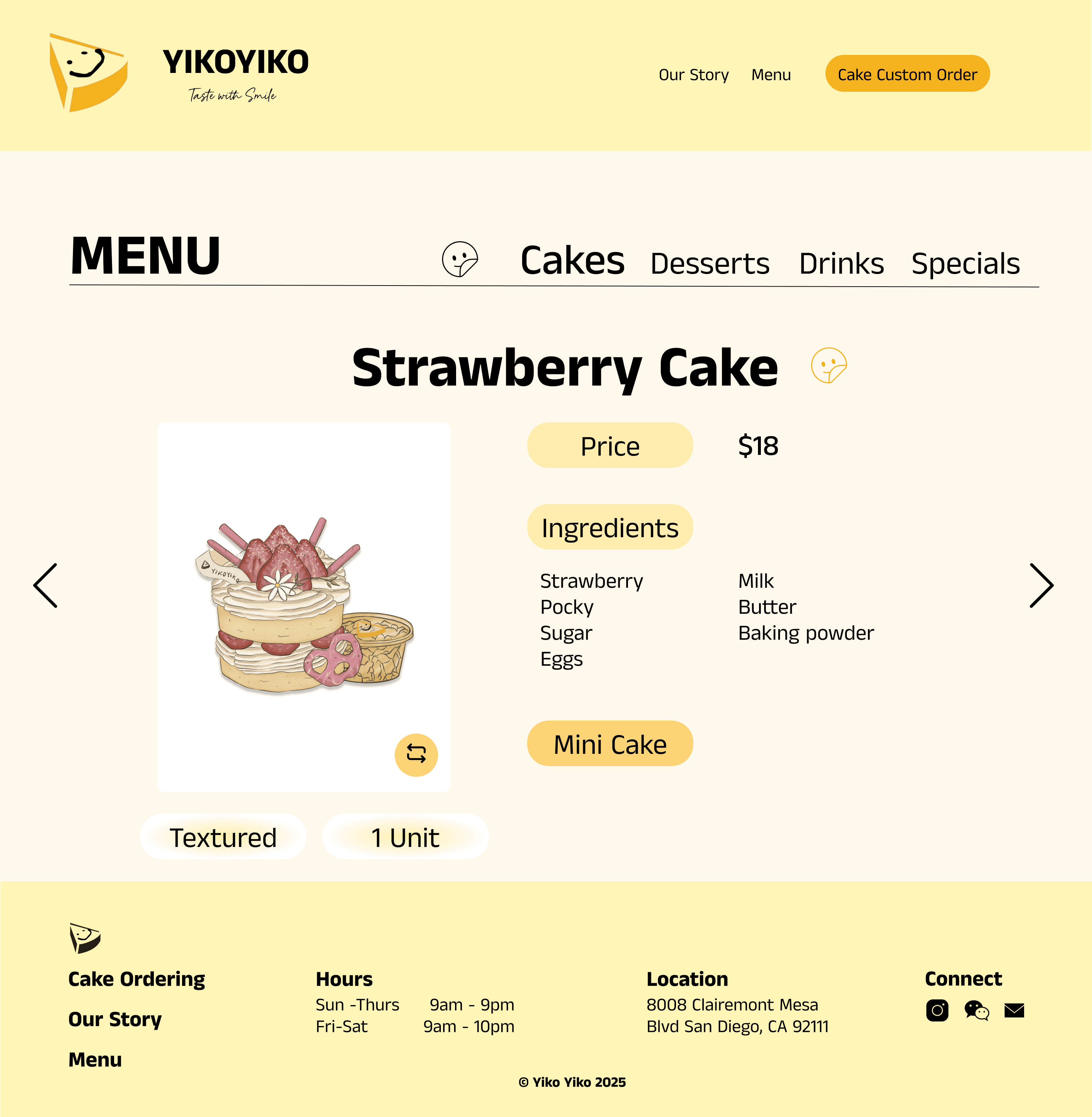
Individual Item Page
Each item includes consistent tags from the mobile version (e.g., type of dessert or cake).
Ingredients are displayed, especially for popular items.
Tags clarify the subtype (e.g., Basque, Crepe, Mochi) to help users navigate Yiko Yiko's wide variety of offerings.
The product image is flippable—one side shows an illustration for aesthetic appeal, while the other reveals the real product photo.
Arrows on each side allow users to easily browse other items within the same category.
Desktop Prototype
Future Direction
Takeaways
Takeaways
This project allowed me to work directly with a real-life client beyond just a class assignment. It showed me how essential communication is throughout the design process and highlighted the importance of user testing in truly understanding user needs.
Tradeoffs are important: Since this was both a class project and a real client collaboration, we had to balance what our client wanted with meeting class requirements. We aimed to make the site fun and interactive, while still fulfilling the client’s needs. User testing gave us valuable feedback, but we couldn’t please everyone—so we had to prioritize and focus on the most important aspects.
Client communication can be difficult: Toward the end of the project, our client became unresponsive and didn’t provide the necessary materials on time. To stay on track, we adapted by conducting our own research and sourcing visuals and content online to fill in the gaps.
Mobile vs. desktop design has key differences: We began with mobile-first design, then adapted it for desktop. While both versions share core features, the context of use differs—mobile users often browse on-the-go, while desktop users may take more time. These differences influenced layout and interaction decisions.
User needs vary widely: A first-time customer interacts with the site very differently than a frequent one. Designing with these differences in mind helped us create a site that centers our main user while still remaining accessible and intuitive for a broader audience.
Client Feedback: Schedule a meeting with the client to gather feedback on the design, interactions, branding, features, and overall site architecture. This will help validate our direction and identify opportunities for refinement. We’ll also collect all necessary materials from the client to ensure alignment and explore how the design can be implemented in the real site.
Completing the Site: Finalize the rest of the website by adding remaining pages and making all elements fully clickable and interactive. Currently, only key pages and examples are functional. We also plan to ensure visual and structural consistency across all pages for a cohesive user experience.