DreamNet
Connections through Dreams
Overview
Opportunity
Research
Design Process
Designing a new social experience to help people build genuine, meaningful connections.
Timeline
Context
The Opportunity
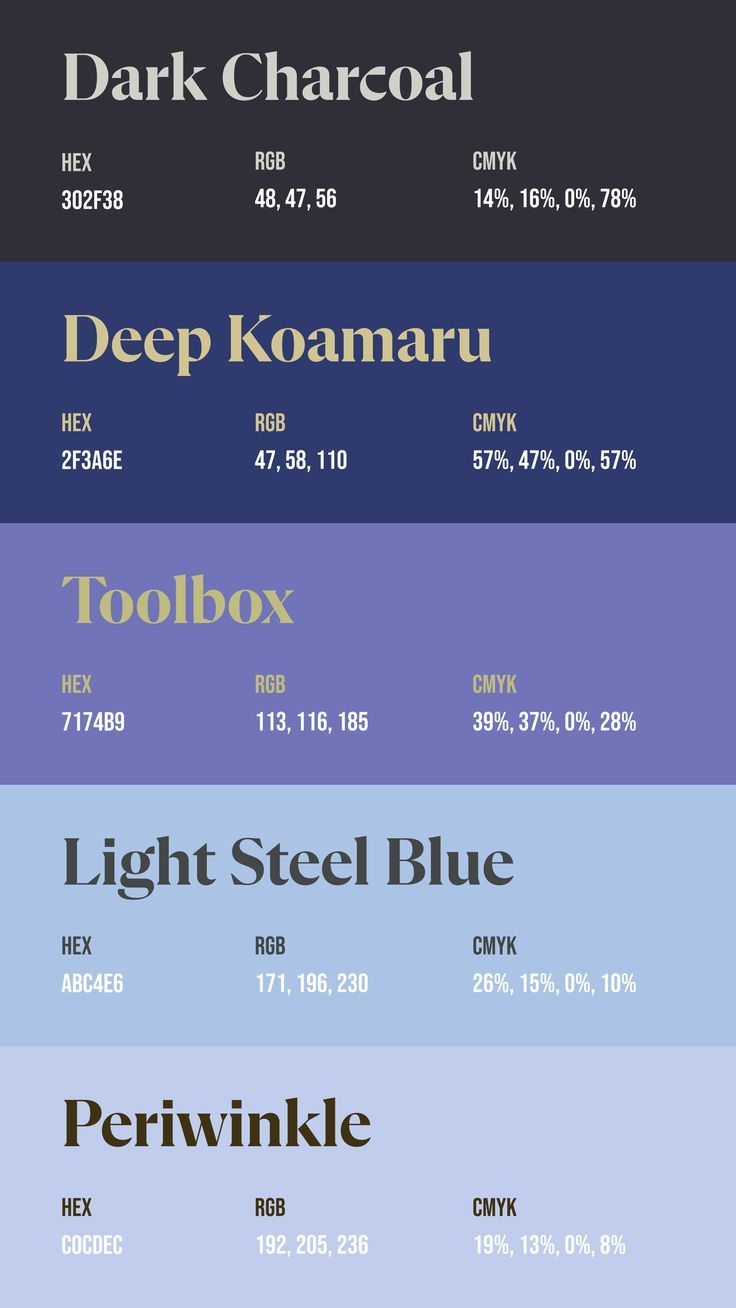
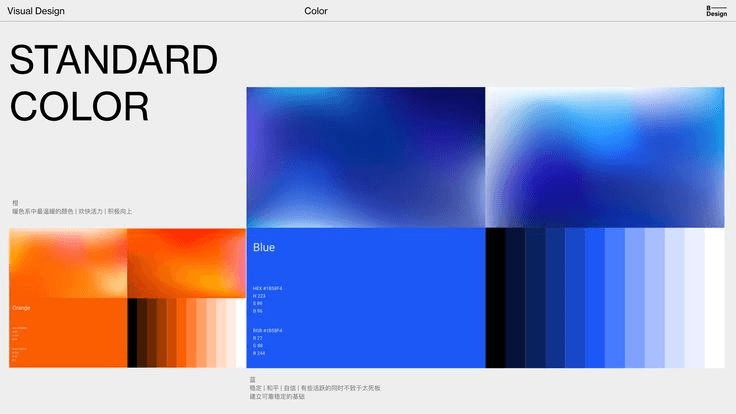
Branding Guidelines
Sept 2024-Dec 2024
DreamNet is created for COGS 123 (Social Computing), DreamNet is a social experience designed to foster genuine relationships. Instead of prototyping through traditional mockups, we tested the concept in real life using existing platforms—emulating app features through human interaction and behavioral experiments to simulate a real social app experience.
Dreams are deeply personal yet universally experienced. DreamNet creates a space where users can share and explore dreams—connecting through imagination, free from real-world identities, and fostering deeper, more meaningful relationships through the subconscious.
Social Setting
In an increasingly digital world, forming genuine relationships is difficult. DreamNet helps users connect through dream visualizations and collaborative storytelling—turning imagination into shared, meaningful experiences.
Visual Designer/ Project Manager
4 Designers
Prototyping,
Visual Design,
Project Management
Role
Team
Key Skills
Academic Literature Review
Competitive Analysis
Our team explored key app features and dream-related themes, supported by academic research and literature review:
Dream Tracking: Recording dreams enhances creativity, emotional processing, and self-awareness—supporting features that help users reflect and grow.
AI-Generated Art: AI models like GANs produce creative visuals, sparking discussion on machine creativity. Using AI art in DreamNet can enrich dream expression.
Community Storytelling: Digital storytelling strengthens bonds and identity. Shared dream narratives can build trust and connection.
Collaborative Creation: Socially driven platforms thrive on shared memory and balanced input. DreamNet can foster creativity through co-creation.
Emotion Mapping: Dreams process emotions and simulate life challenges. Mapping emotions helps users reflect and build resilience.
Anonymity & Identity: Anonymity promotes honest expression and stronger group ties. DreamNet can use this to encourage authentic sharing.
Our investigation revealed a need for more interactive and emotionally resonant communication platforms. DreamNet aims to support context-rich storytelling and emotional expression, making digital dream-sharing feel as natural and connected as in-person conversations.
User Research
We surveyed 33 individuals about their experiences and thoughts on dreams.
21 out of 33 are interested in knowing others' dreams.
Many haven’t had the chance to socialize about dreams, revealing an opportunity to explore dreams as a new medium for connection.
Dreams vary widely, with common themes including real-life situations, relationships, anxiety/stress, and adventure.
25 out of 33 users are most interested in visualizing dreams, followed by recording them (23 out of 33).
These insights highlight the creative potential of dreams and their power to foster connection through shared subconscious experiences.
We explored dream-related apps, AI generators, and features for collaborative creation to help determine what to include in our own dream-sharing app.
Based on our research, we found that users seek emotionally meaningful dream experiences with interactive AI visuals and collaborative community features, which are often missing in existing apps.
WOMBO
Dream
Dream Journal
Ultimate
Byline
Co-write stories with friends using AI-powered prompts
Strength: Encourages creativity through shared storytelling
Weakness: Limited depth and originality from AI-generated content
DreamKit
Helps users grow through dream tracking and reflection
Strength: Encourages community sharing and creative visualizations
Weakness: Lacks collaborative features
Connects dreamers and reveals subconscious insights
Strength: Offers secure storage and AI-powered interpretations
Weakness: Raises privacy and accuracy concerns
Instantly creates AI-generated art from user prompts
Strength: Personalized styles and community art sharing
Weakness: Repetitive outputs and ethical concerns over sources
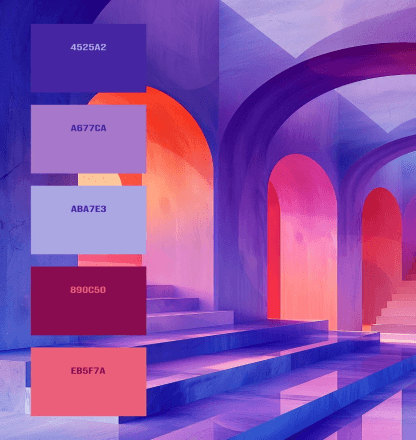
Moodboard
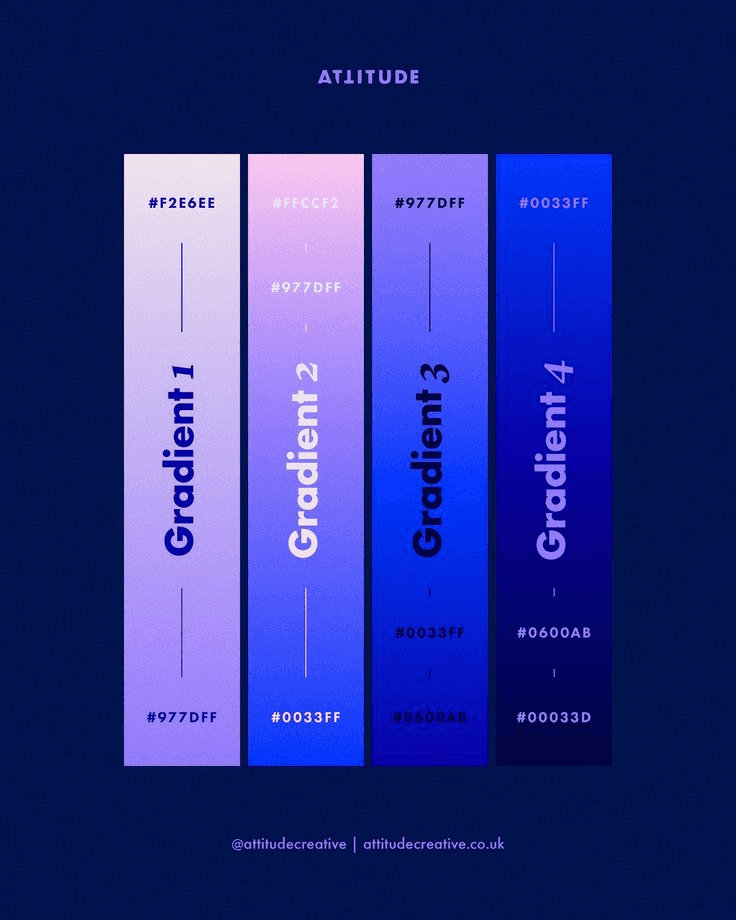
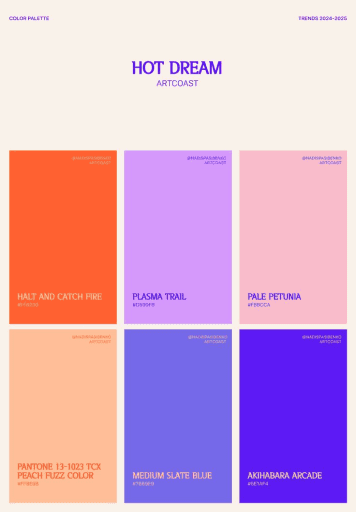
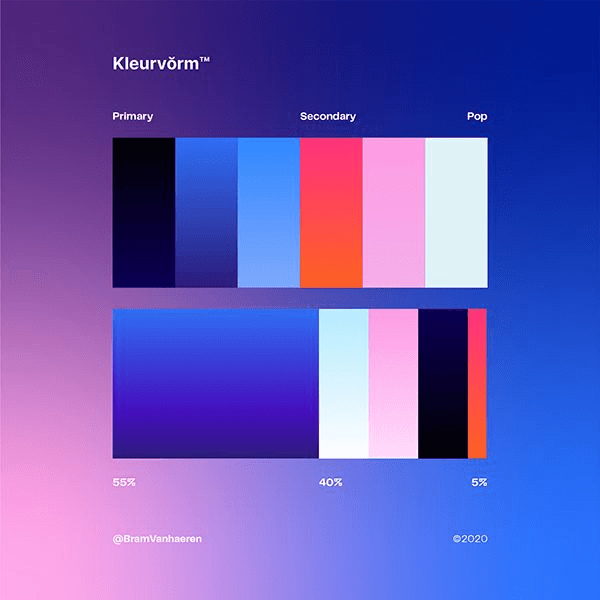
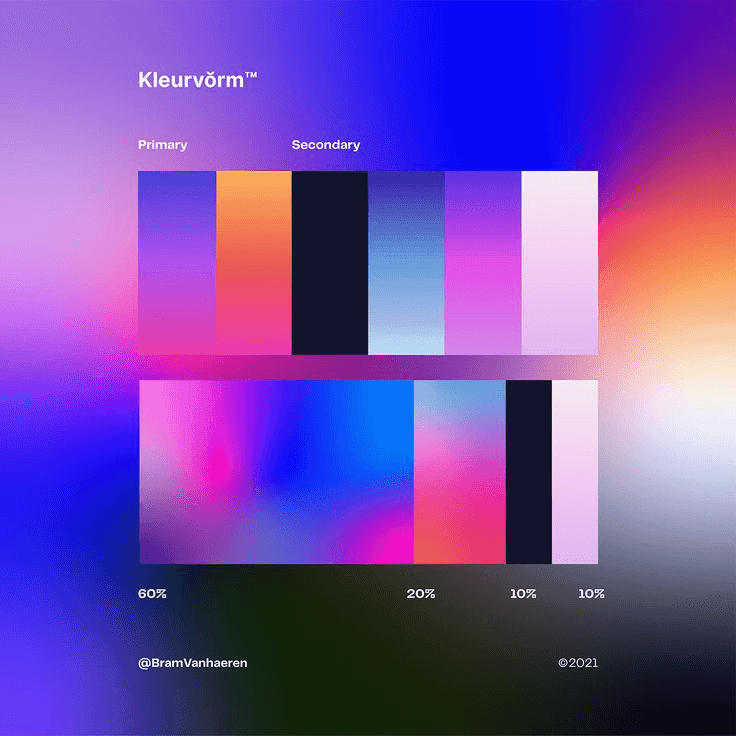
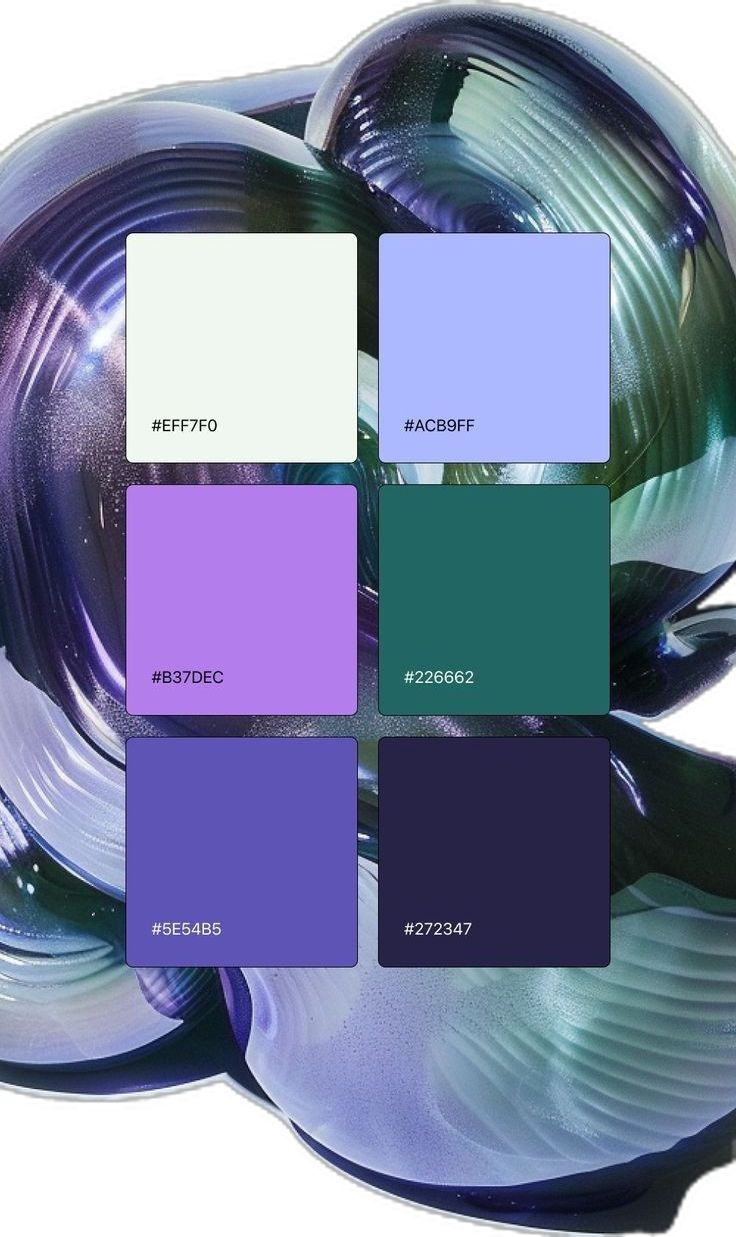
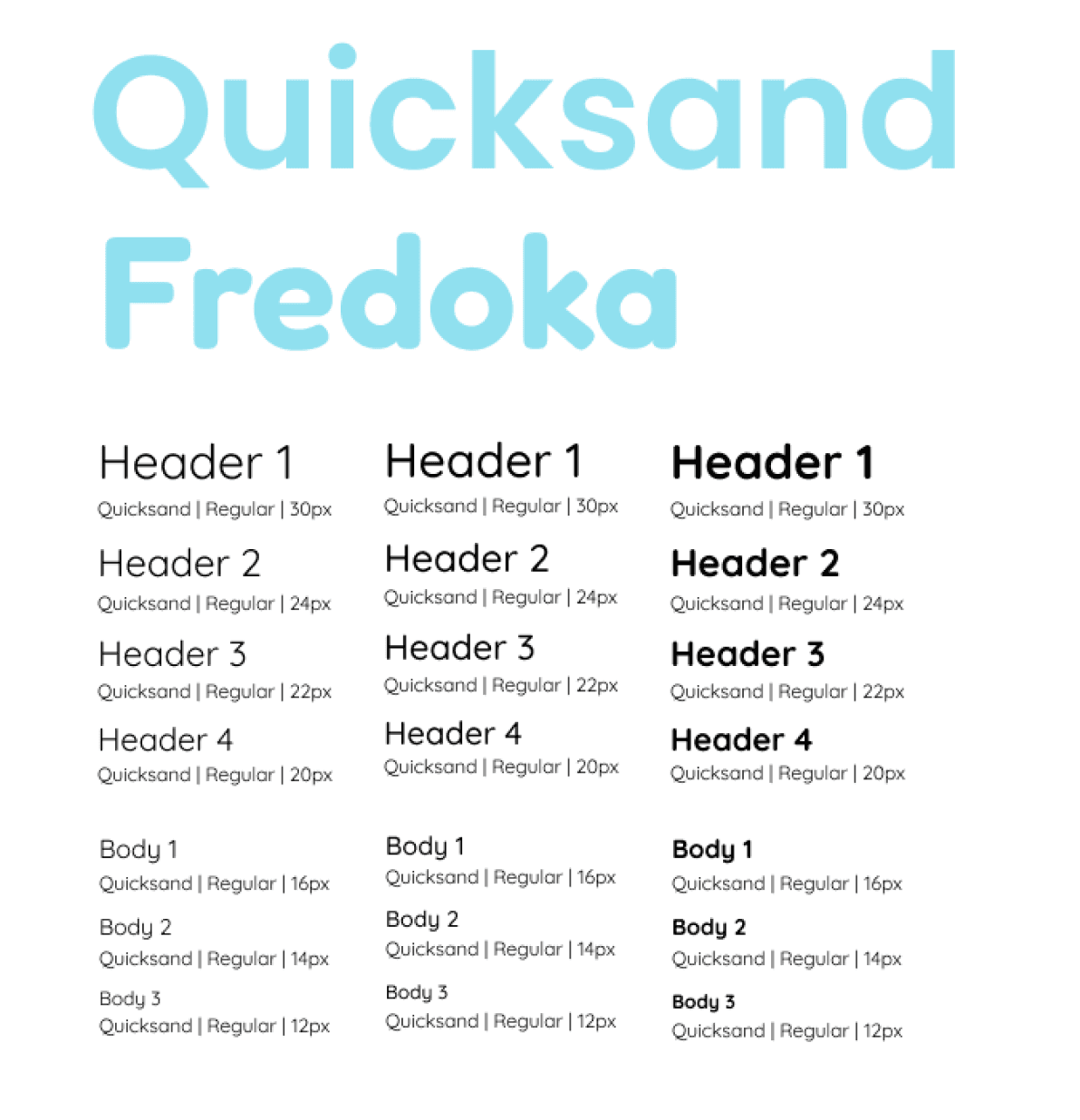
Typography
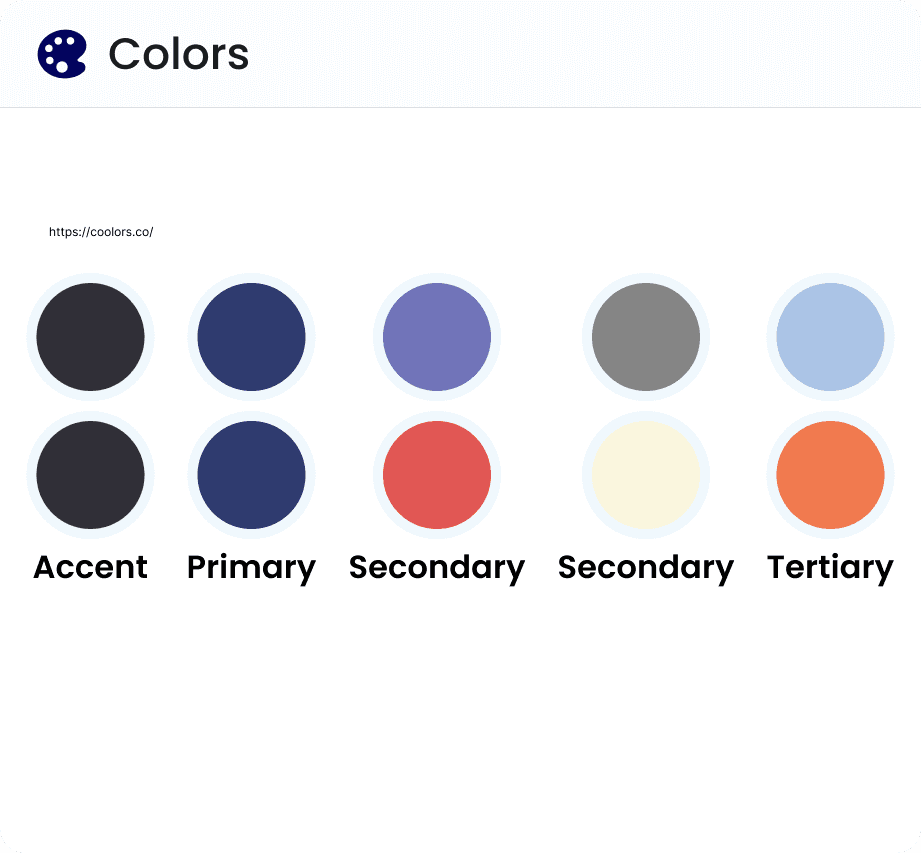
Colors
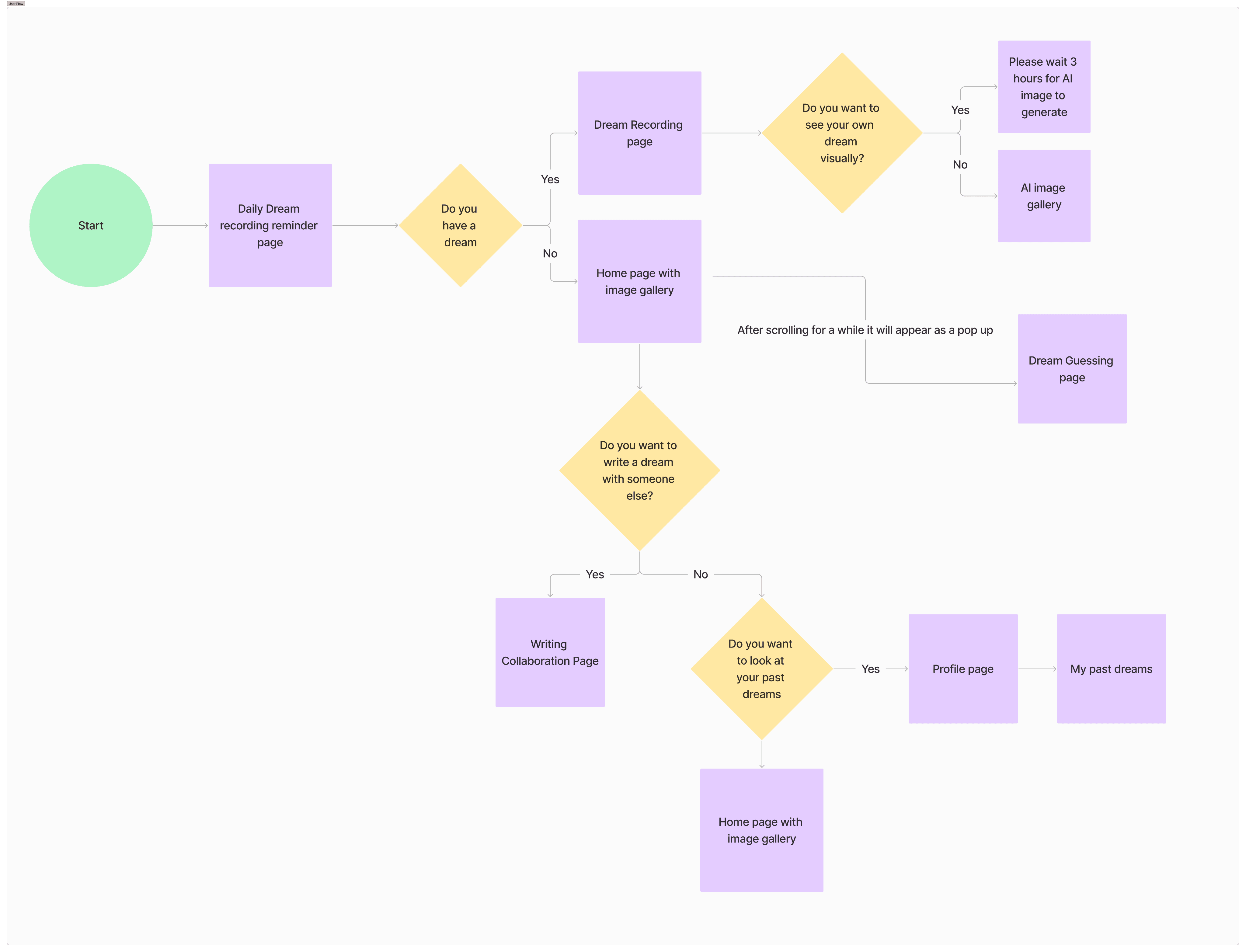
User Flow
Logo

First Prototype
Prototyping Tools
Because the goal of our class is to prototype in an unconventional manner and simulate app features through in-person experiences, we used the following tools to emulate key functions:
FigJam: Simulated user interaction with collaborative writing, dream sharing, and AI-generated image galleries to reflect social and creative features of the app.
AI Image Generators: Created visual representations of dreams to illustrate how the app might translate dream content into imagery.
Flow for our First Prototype
Key Takeaways
Creating an Immersive Experience for the Users.
First experience the Dream Journal Writing.
Then try out the social aspect of our app through collaborative storywriting.
Lastly, move on to the AI Image Gallery to discuss and see the visualization of our dreams.
Breakdown of Each Element:
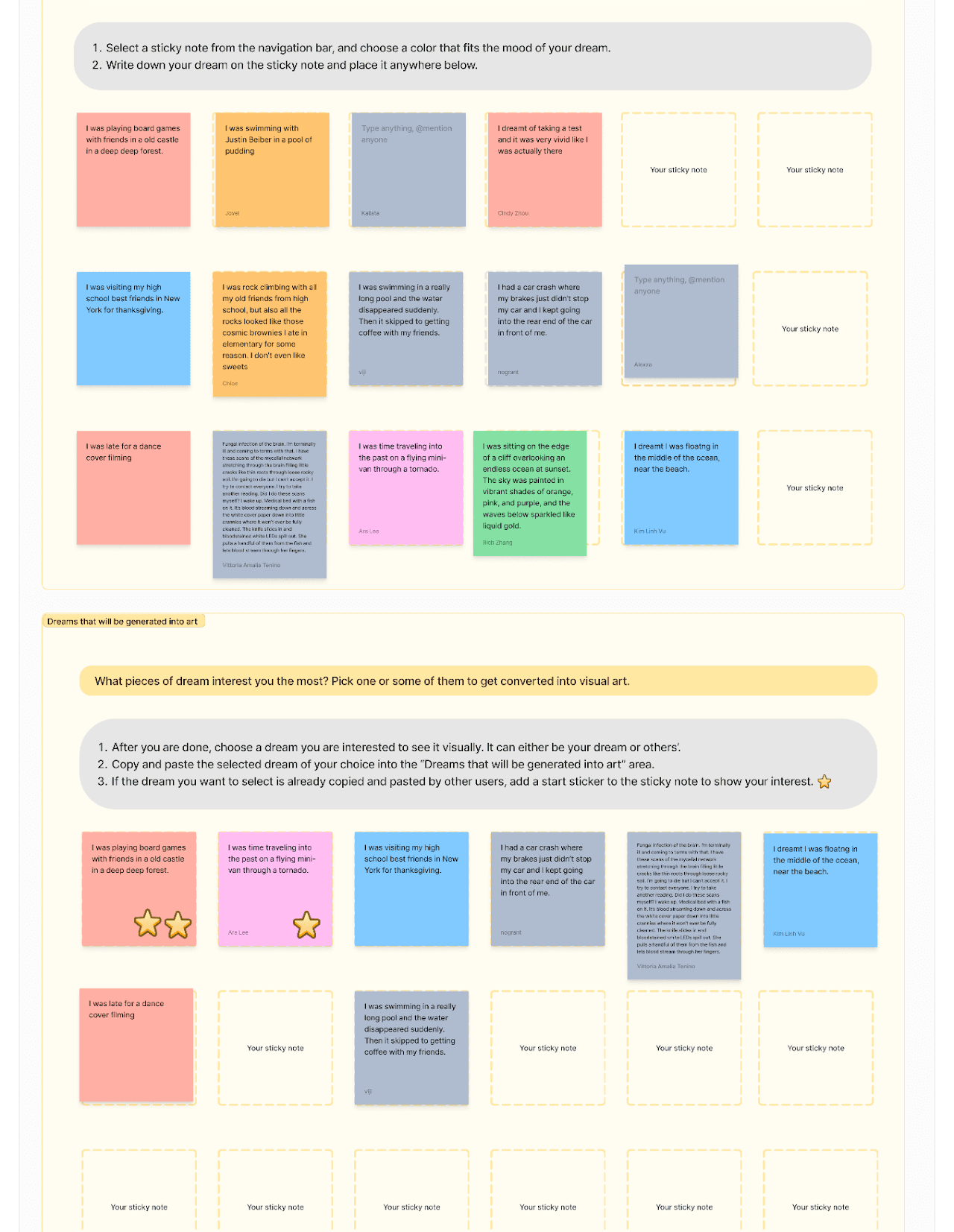
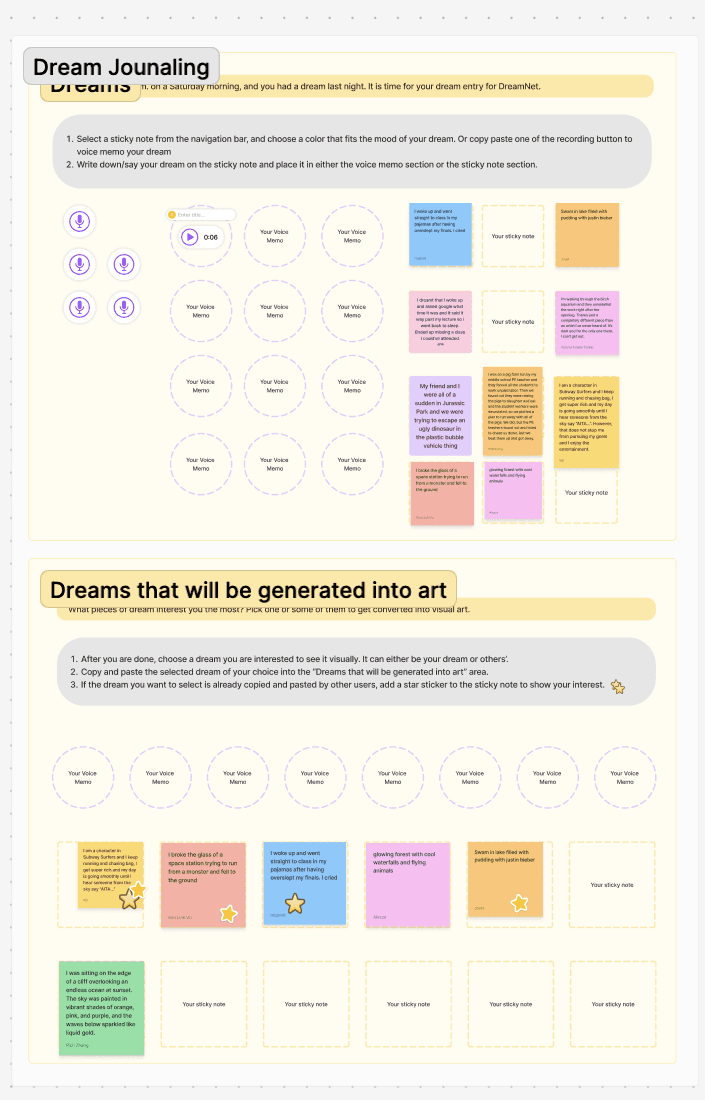
Dream Journal Writing: Users wrote down their dreams on sticky notes in Figma, choosing colors that matched the mood of their dreams. They then selected one (their own or someone else’s) to visualize with AI-generated art.
Key Improvements
Clearer Collaborative Writing: Switched to Mad Libs-style prompts for structure and ease.
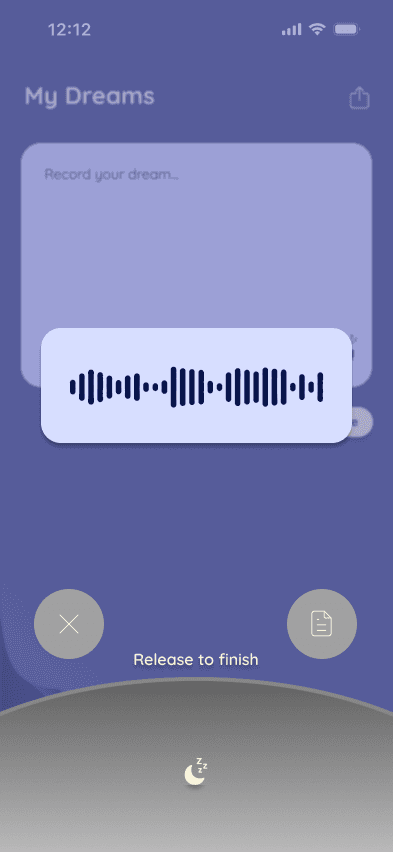
Dream Recording Upgrade: Added voice recording for intuitive documentation.
Enhanced Immersion: Introduced background music and visuals.
More Interactivity: Encouraged in-person discussion in the AI image gallery.
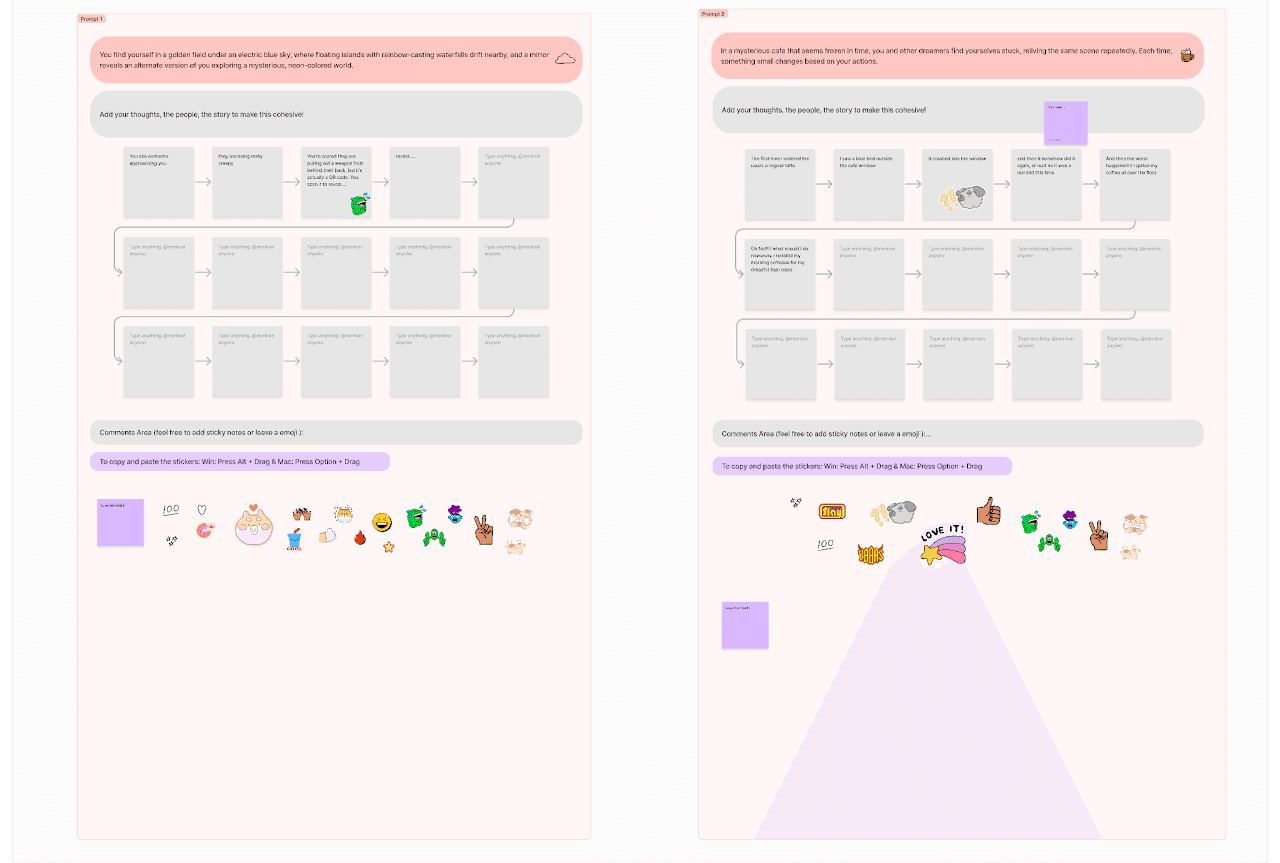
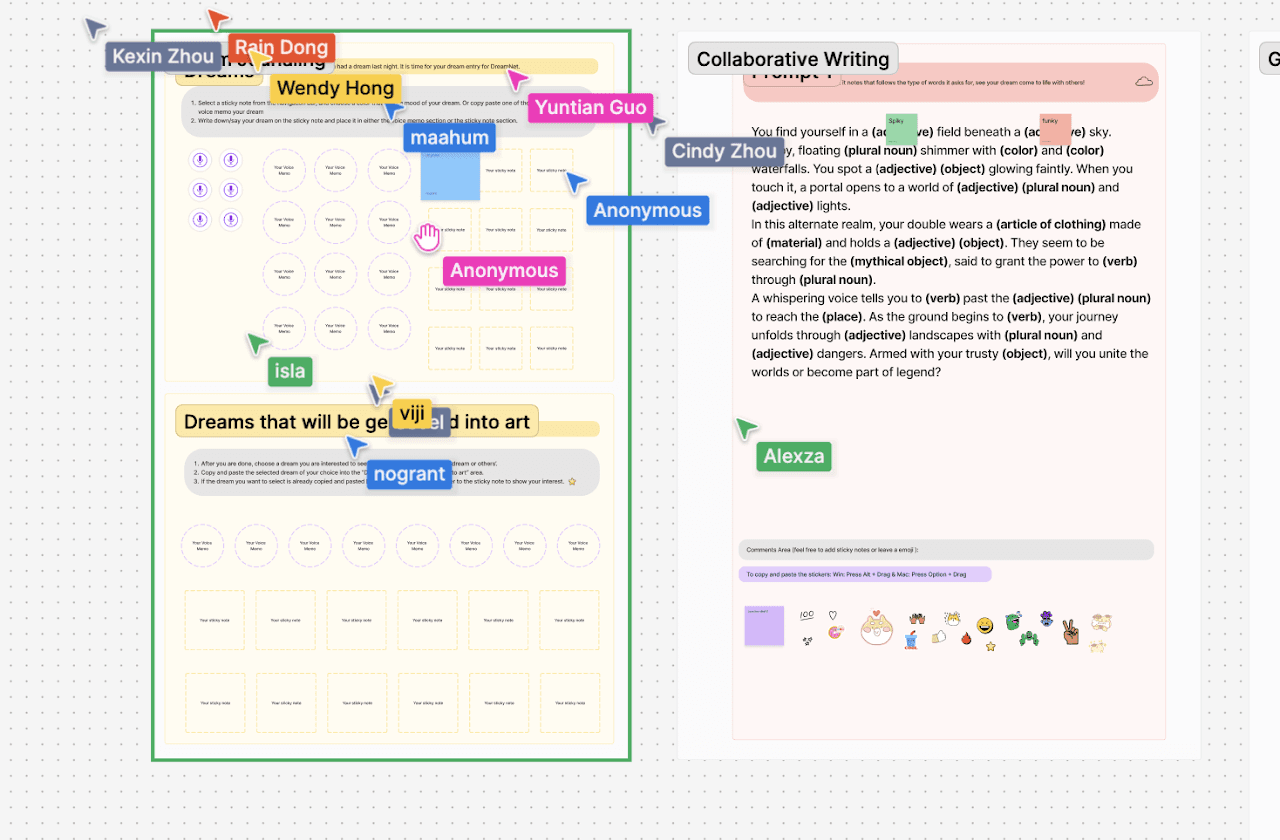
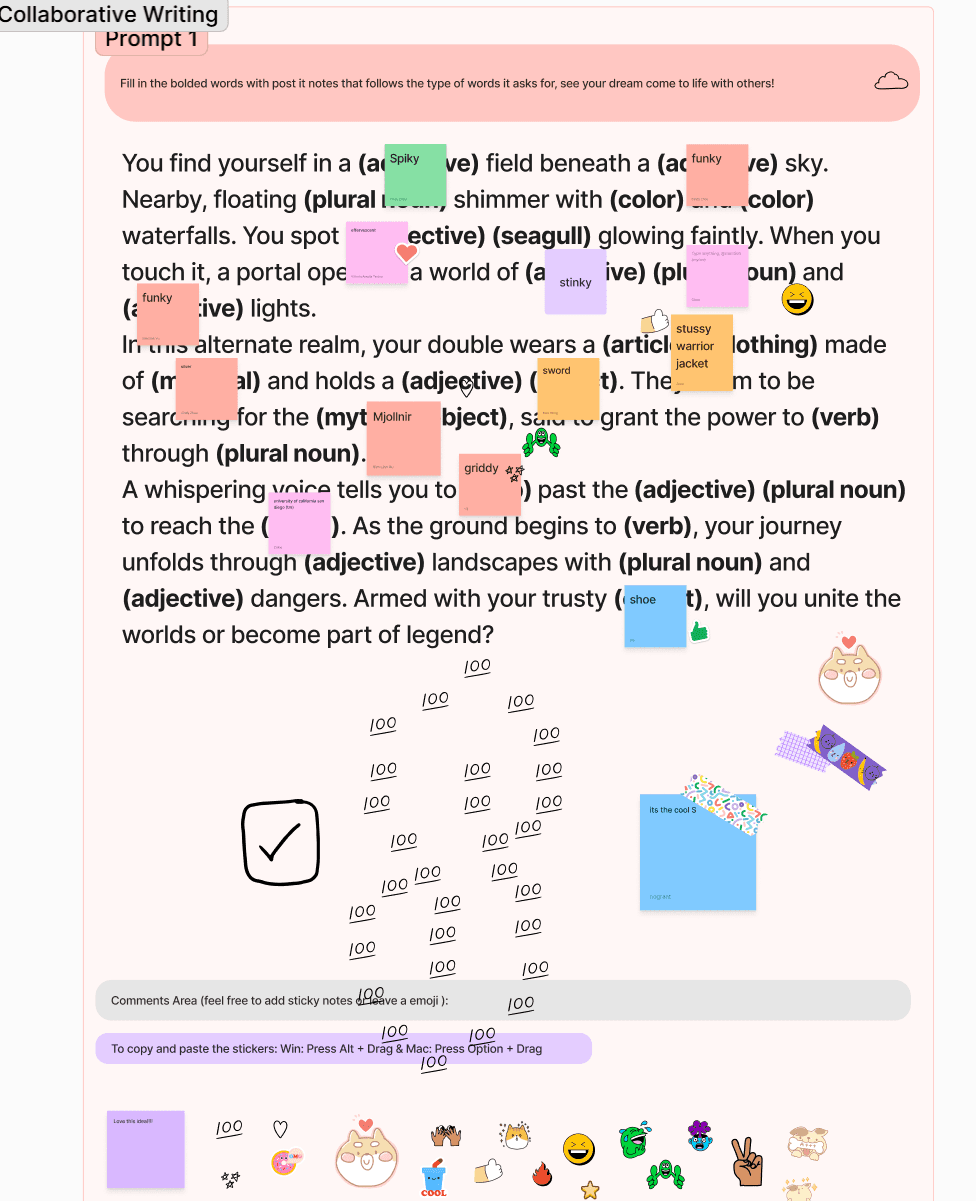
Collaborative Story Writing: Participants chose from two dream-related prompts and co-wrote a story. They added comments, emojis, and reactions directly on the shared boards to simulate in-app interaction.
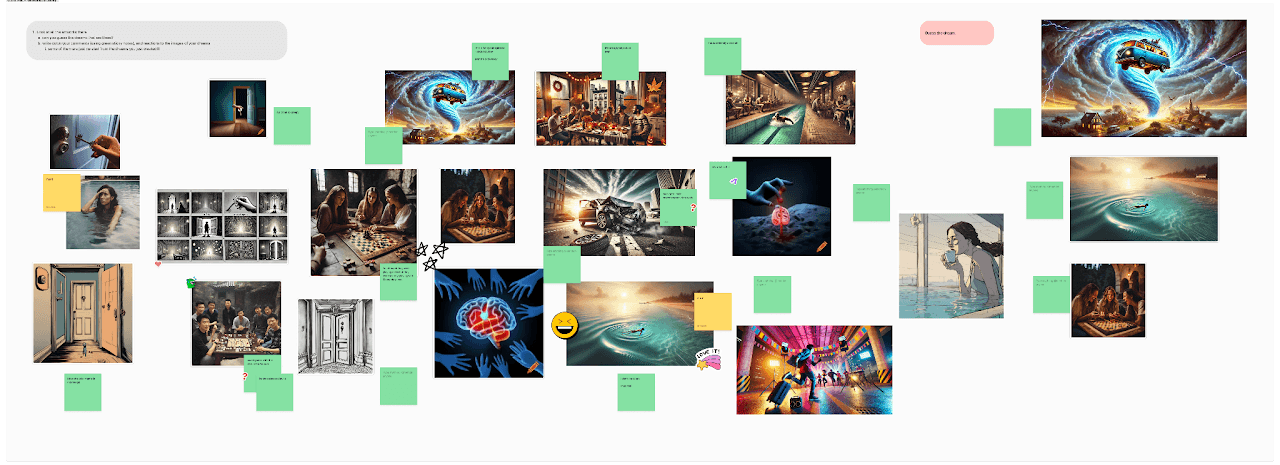
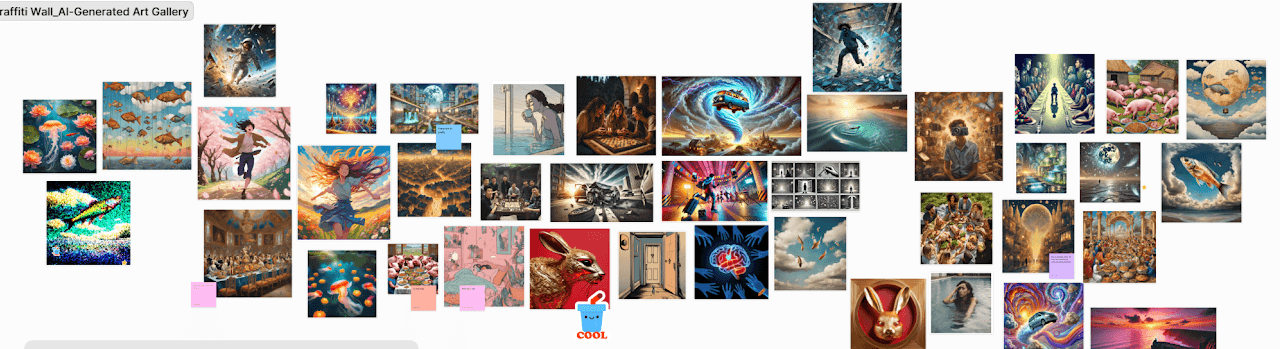
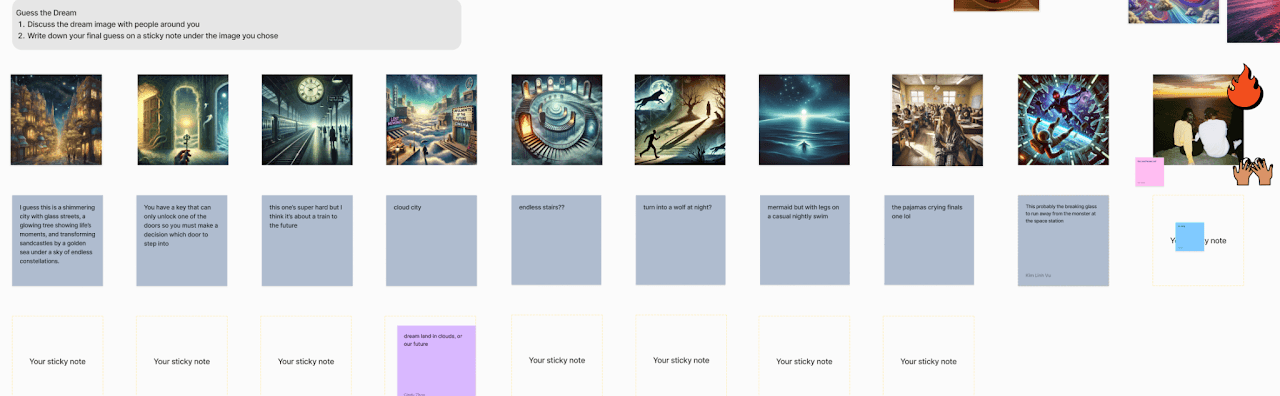
AI Image Gallery: Users viewed a curated gallery of AI-generated dream images. They guessed the dreams behind each visual, reacted to them, and discussed interpretations with others.
Flow for our Second Prototype
Users explored three updated features of our app in a lights-off setting to encourage dream recall. We used FigJam again, with Wizard of Oz techniques—team members simulated app features and social interactions.
Breakdown of Each Element:
Dream Journal Writing:
Users wrote or voice-recorded their dreams in FigJam.
Then, they selected a dream to visualize using AI-generated art.
Mad Libs – Collaborative Story Writing:
Participants filled in blanks using dream-themed prompts.
This format made collaboration fun and low-pressure.
Users reacted to each other’s responses.
AI Image Gallery:
A larger collection of AI-generated images created a true gallery feel.
Users guessed the dream behind each image and discussed with others.
AI Visuals Engaged Users: Participants enjoyed interacting with AI-generated images the most.
Collaborative Writing Fell Short: 11 of 17 users found it confusing or unnecessary due to unclear instructions.
Dream Recall Was Hard: 5 users struggled to remember or express dreams; tools like audio input were suggested.
Immersion Was Effective: Lights-off setup was praised; users wanted more visuals and ambient music.
Key Takeaways
Dream Recording & Collaboration: Mad Libs-style prompts improved usability, but some users questioned the purpose of collaborative storytelling.
Social Interaction: Interaction was limited; users suggested adding real-time collaboration or a chat feature.
Immersive Experience: Dimmed lights and structured dream recording created a strong, engaging atmosphere.
Positive Reception: 10 out of 12 survey respondents found the experience fun, validating DreamNet’s goal of fostering deep connections and playful creativity.
Second Prototype
Prototype
Takeaways
Figma Prototype
This final prototype, built in Figma, integrates the core features shaped by user research and feedback. We refined the interface for intuitive navigation, added more frames to support diverse user flows, and focused on creating a visually engaging, seamless experience that balances functionality with creativity.
We explored new prototyping methods like piggyback prototyping to test ideas more dynamically, moving beyond static Figma screens. We also focused on integrating social elements and simulating features in unconventional ways to create a more immersive user experience.
Here are some key themes we found through our project:
Discovery & Creative Inspiration: Users explore others’ dreams, stories, and AI artworks to foster empathy and spark creativity.
AI-Driven Social Features: AI transforms personal dreams into shareable artworks, enabling new forms of social interaction through posts, comments, and visual storytelling.
Collaboration & Co-Creation: Users co-write dream stories, blending logic and imagination to build a shared narrative.
Community-Driven Engagement: Emoji reactions and comments on collaborative stories enable quick, expressive interactions that strengthen community bonds.
Self-Expression & Artistic Taste: Through journaling and visualizing their dreams, users reflect on their subconscious and showcase personal artistic preferences on their profile.
Final Prototype
Landing Page
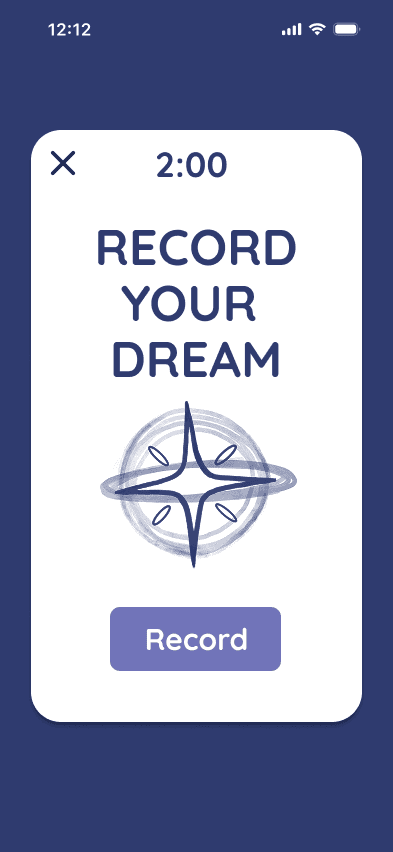
When users first open the app, they are greeted with the DreamNet logo and a calming landing screen featuring a two-minute timer for recording their dreams. If they choose not to record immediately, the option remains easily accessible later on the home page.
Dream Recording
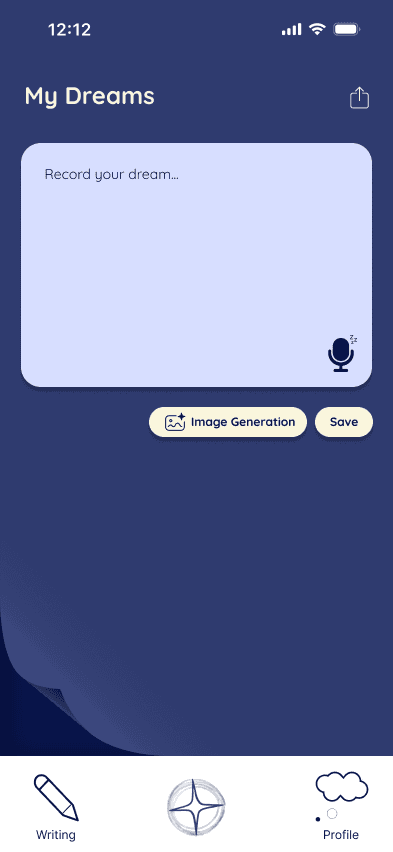
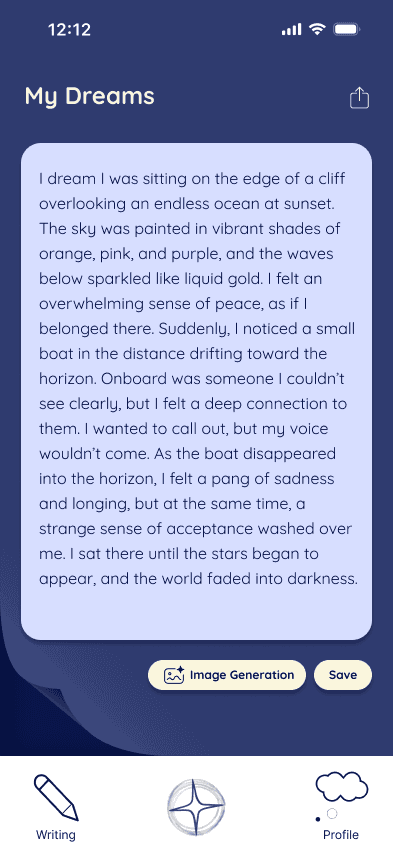
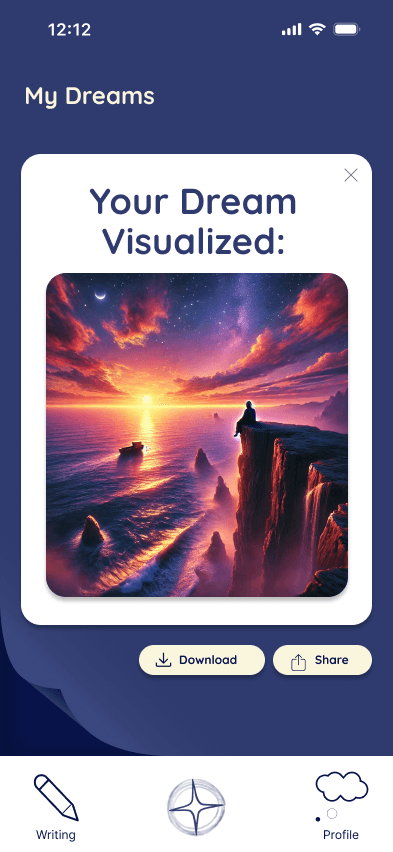
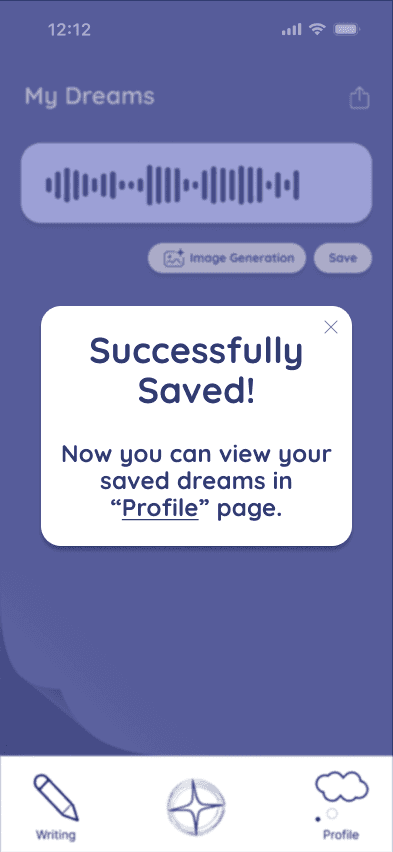
For dream recording, users can choose to either type out their dreams or record them using voice input. After recording, they can save their dream as a note or voice memo. They also have the option to generate AI images that visually represent their dreams, bringing their experiences to life through imagery.
Home page and AI Art Gallery
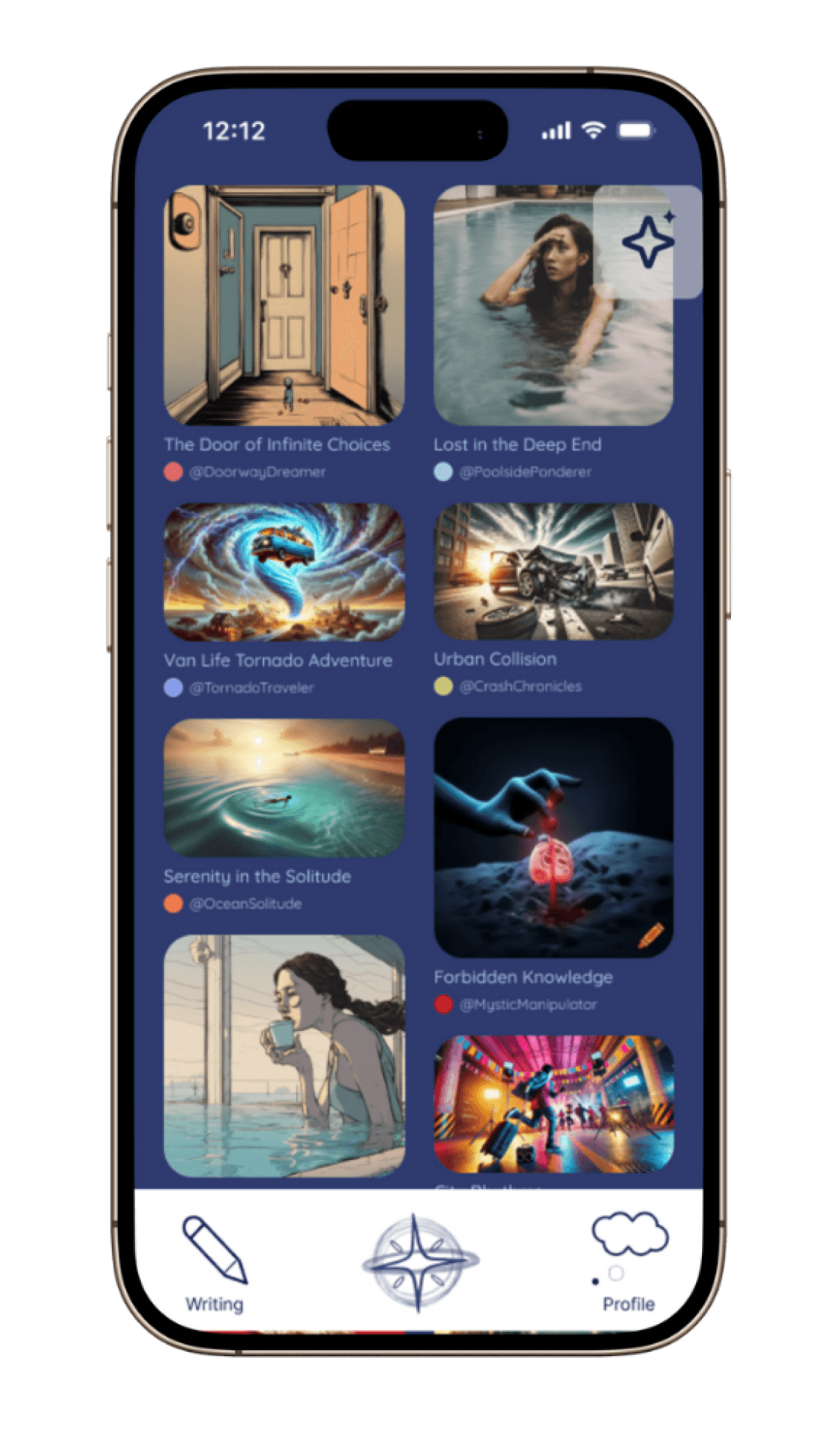
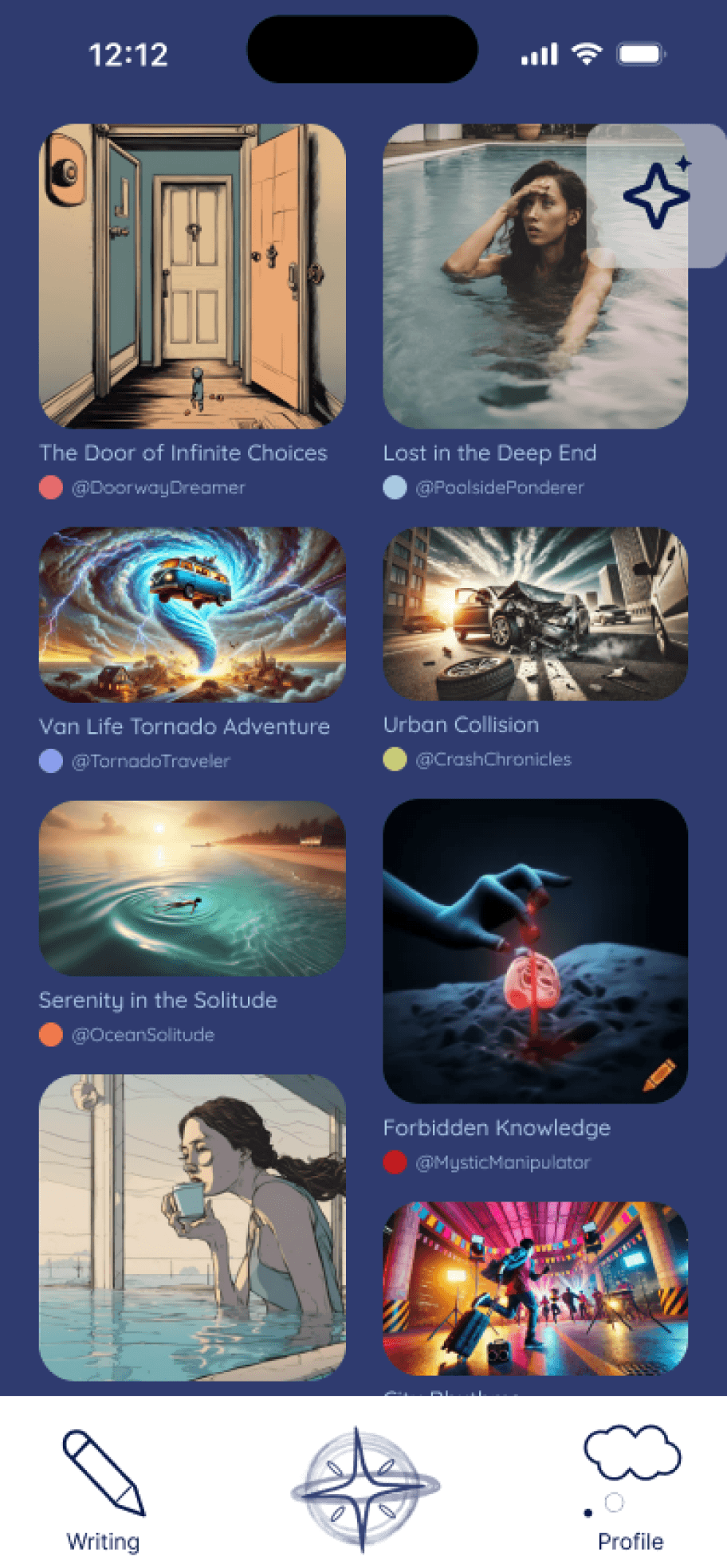
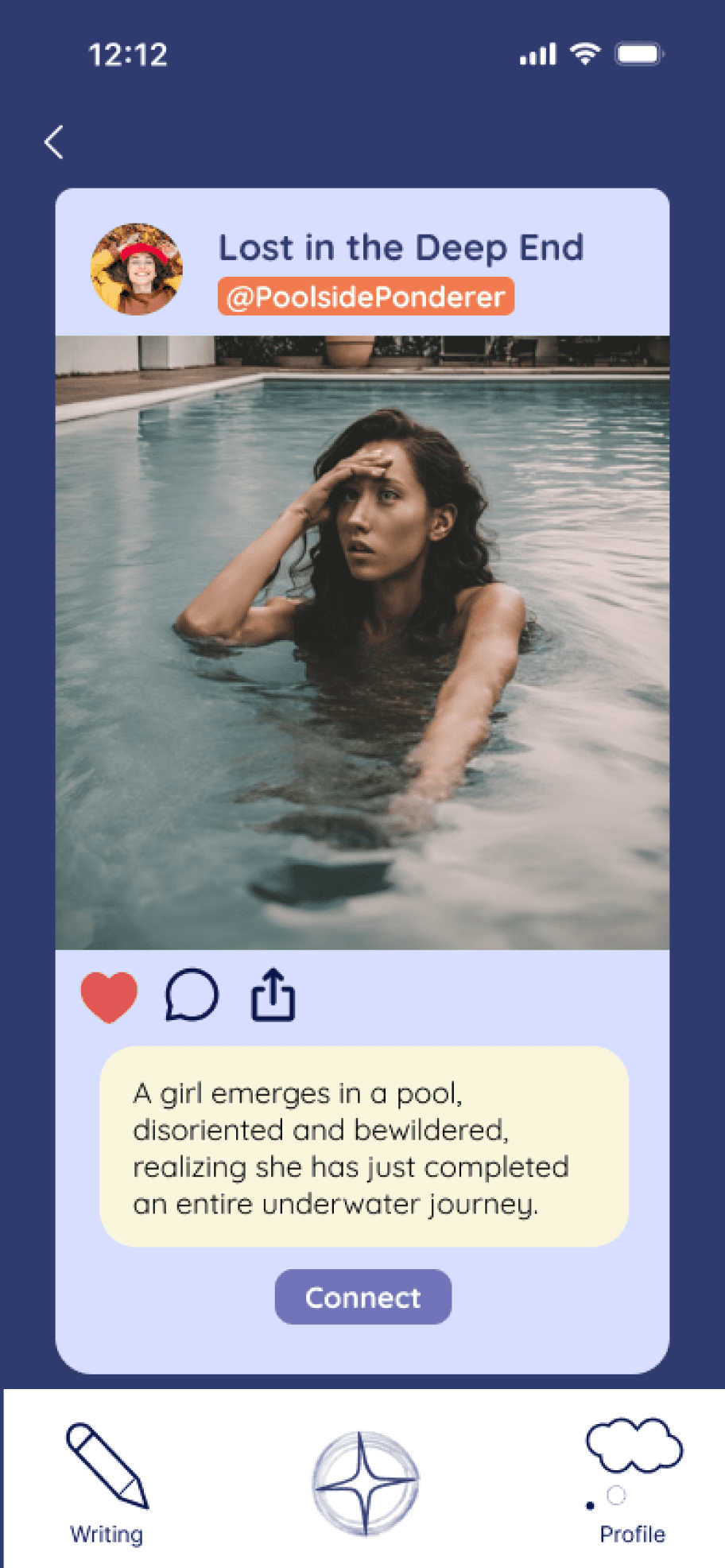
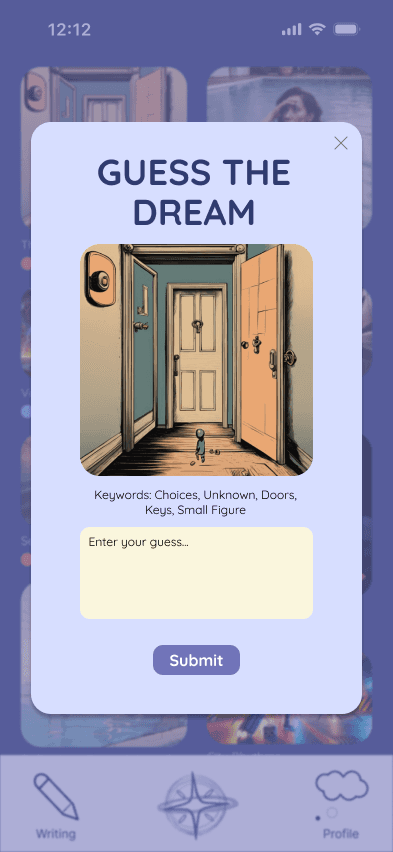
On the home page, users can explore the AI Art Gallery, which features AI-generated images based on shared dreams along with short descriptions. Users can click into each dream post to learn more, leave comments, and connect with the dreamer. A fun “Guess the Dream” pop-up encourages playful interaction. For those who want to record a dream, a clear sparkle button lets them return to the dream recording feature anytime.
Chat Feature
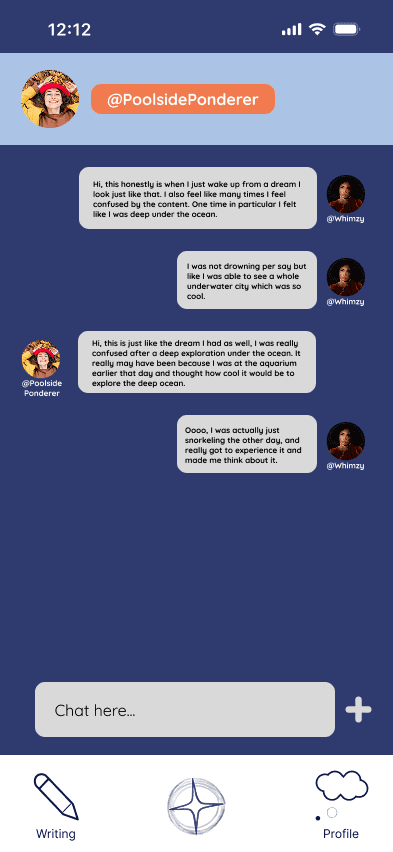
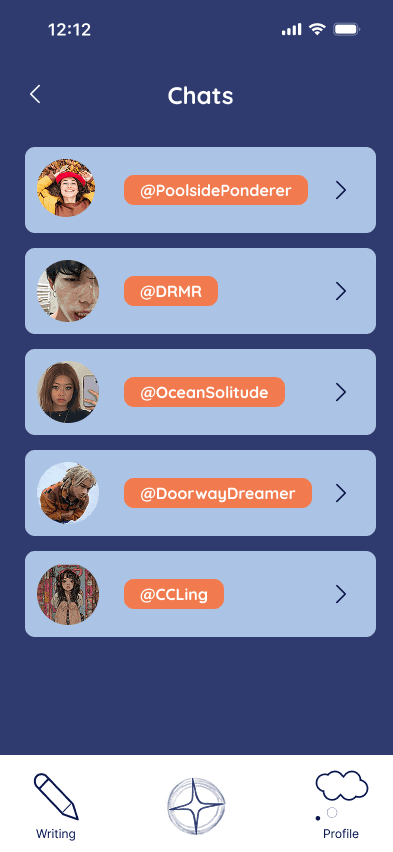
When users connect through a dream post, they can use the chat feature to discuss the dream, share personal experiences, and explore interpretations together. They can also talk about the story behind the AI-generated imagery and what may have inspired it. Users can revisit their past conversations at any time through the profile page.
Collaborative Writing
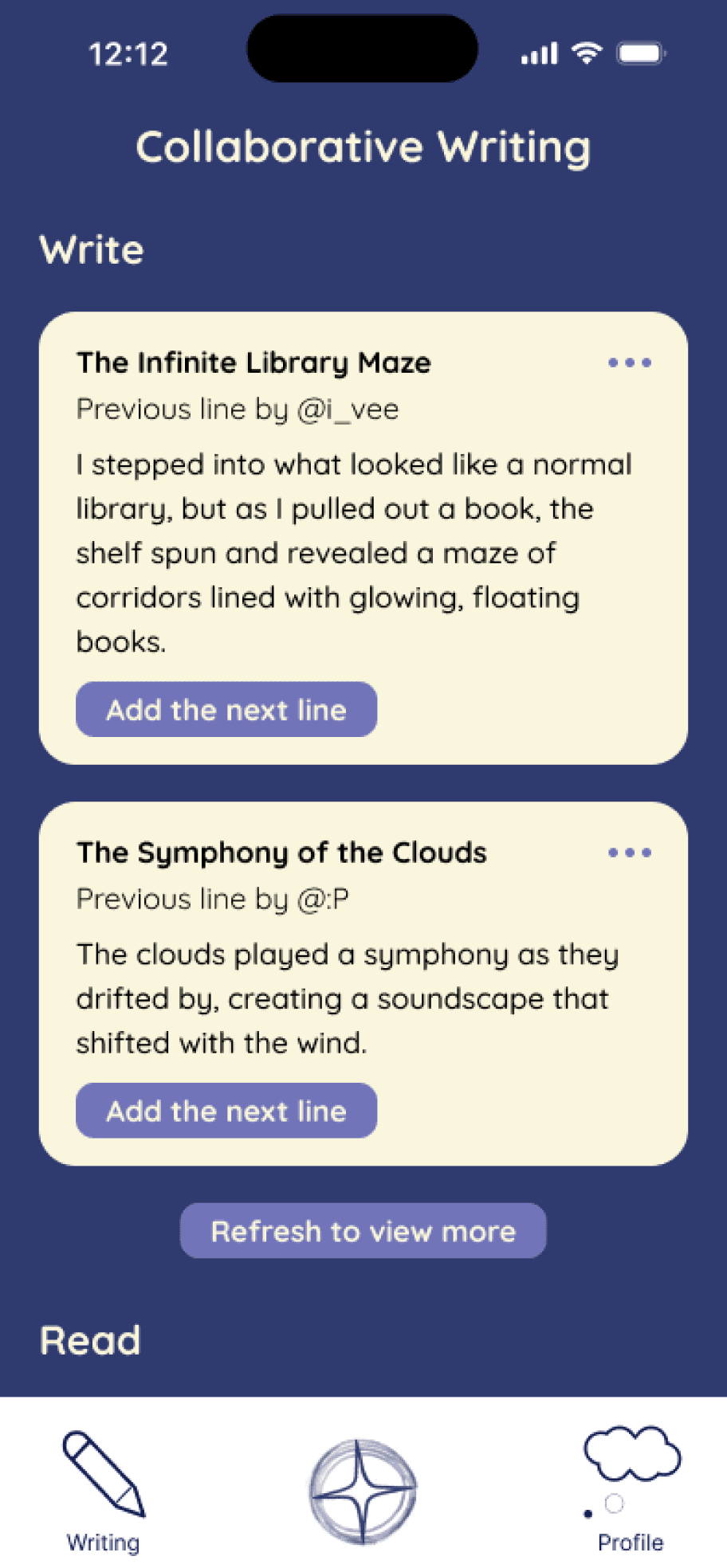
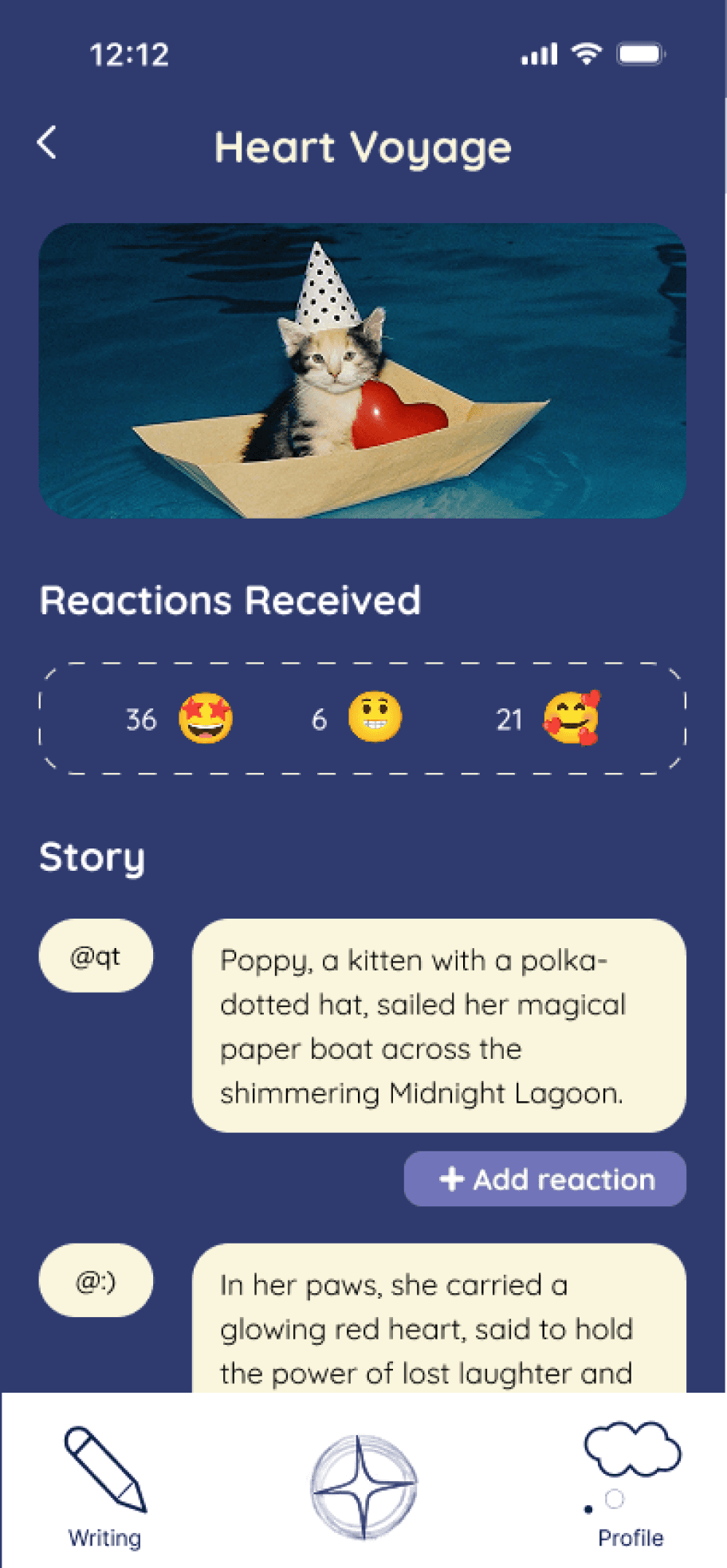
Another key feature is collaborative writing, where users contribute one sentence at a time to build a daily dream story together. This evolving story appears at the top of the page and creates a fun, interactive experience. Users can also read past stories and react to them, fostering creativity and connection through shared storytelling.
Profile Page
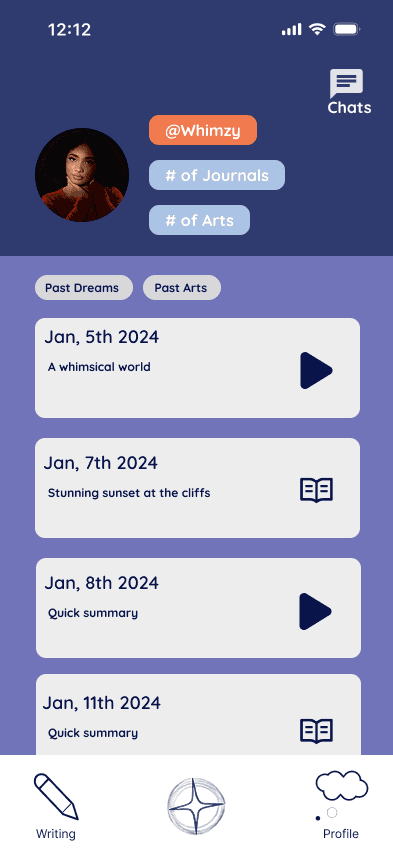
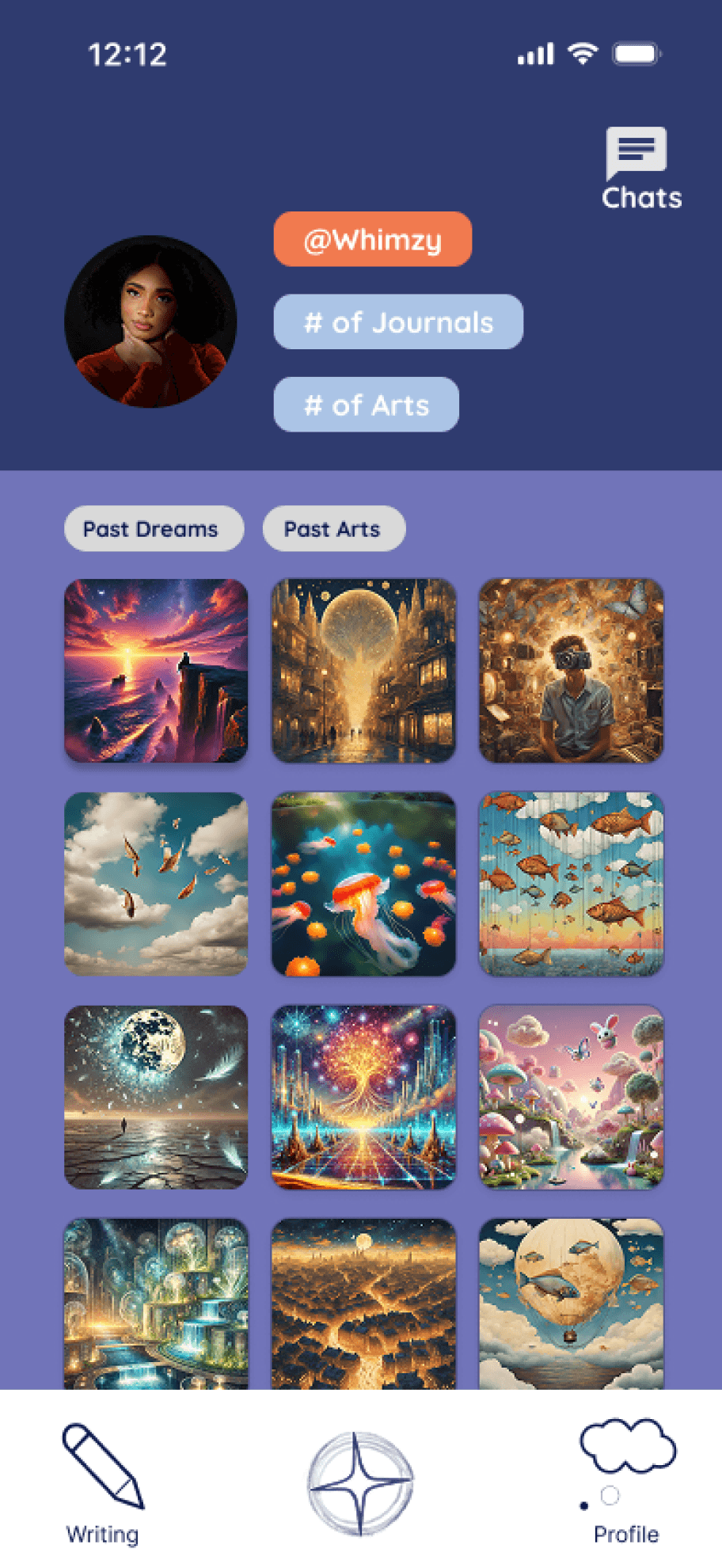
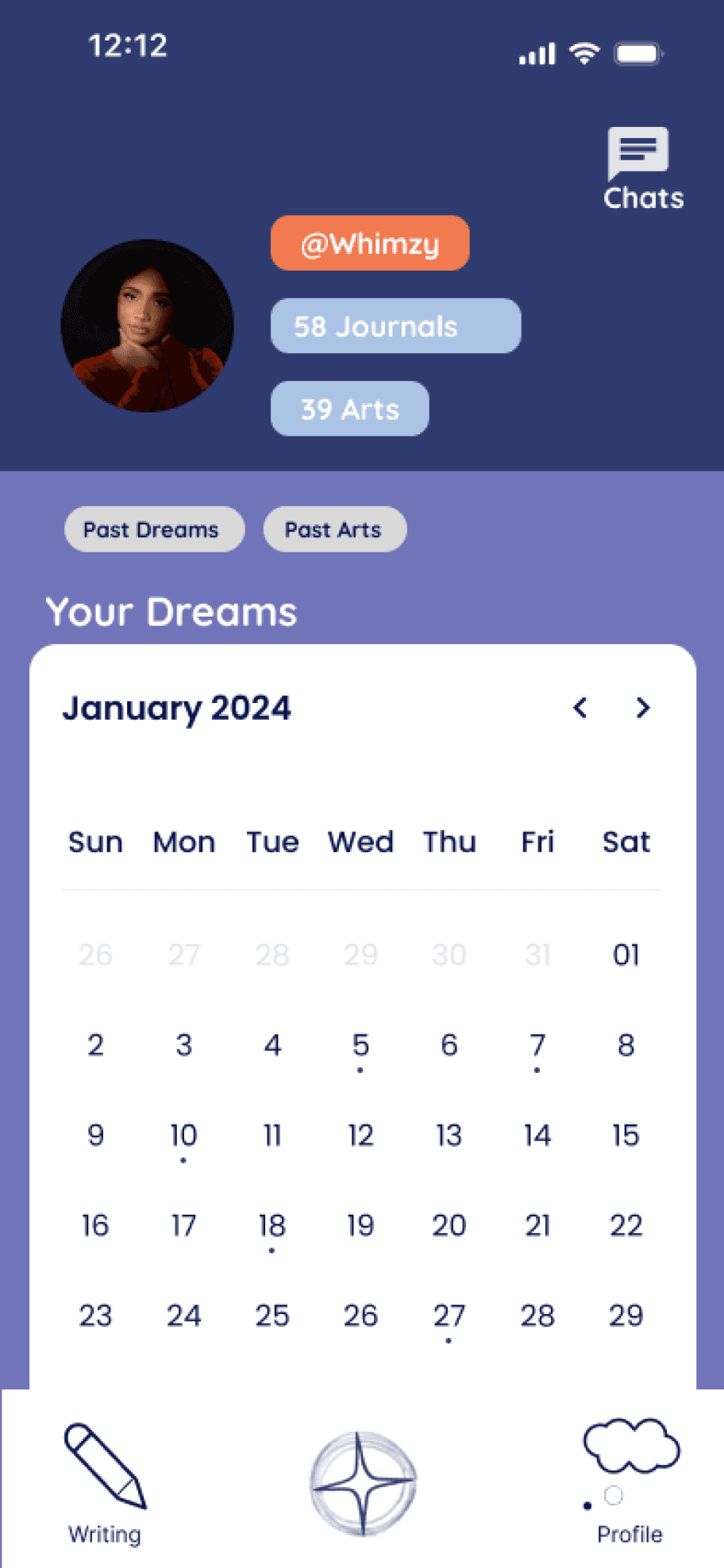
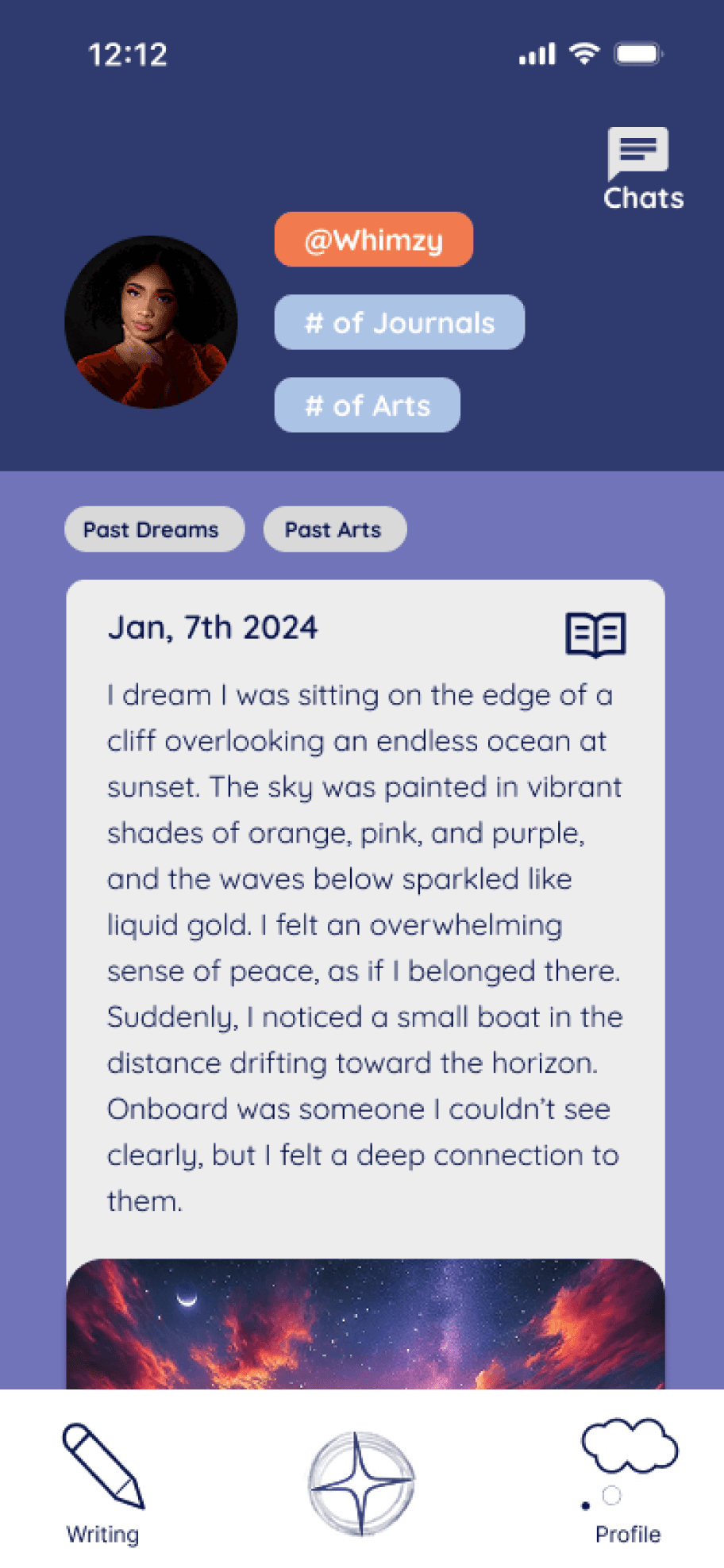
The profile page features a calendar that highlights each day a user recorded a dream. Users can revisit their past dreams—whether typed or voice recorded—and view the associated AI-generated artworks in a personal image gallery.
Social Structures & Complexities
Post-Chat Survey & Rewards: Gather feedback and incentivize participation.
Foster Friendships: Build long-term, community-driven connections.
Design Refinement: Ensure cohesive, consistent user flows.
Usability Testing: Validate and improve the prototype with real users.
These improvements aim to enhance usability, deepen connections, and create meaningful dream-sharing experiences.
Future Changes
What We Learned
The project was initially confusing, as managing a real-life prototype with multiple participants simultaneously was very different from typical digital design work, prompting us to rethink how to uniquely connect people through social interaction.
New Prototyping Technique: Piggyback prototyping enabled dynamic social feature simulation but required time and creative adaptation.
Cross-Platform Cohesion: Balancing individual and collaborative flows across platforms demanded trial and error.
Social Immersion: Simulating real-time engagement in a semi-interactive prototype proved difficult.
Multi-User Design: Designing for simultaneous user interactions required new perspectives and meaningful representation.
Challenges