COMO

COMO
(Comfort of Missing Out)
Overview
Research
Lo-fi Prototype
Improve social interaction by reducing FOMO and helping friends and family stay truly connected.
Timeline
Context
Brainstorm
Academic Literature Review
Competitive Analysis
Mood & Aesthetic
Sept 2024-Dec 2024
COMO (Comfort of Missing Out) is a project from my COGS 120 (Interaction Design) course at UCSD. In a team of four, we researched a real-world problem and designed a system to address it. Drawing from human-computer interaction (HCI) history and methods we studied in class, we applied research-backed techniques to create a thoughtful and user-centered design solution.
To decide on our direction, we had to first hone in on the problem we wanted to solve. The challenge was to design a system that not only addressed a real need but also reframed the experience in a novel way. This was a new and unfamiliar task for us—we started by reflecting on problems we encounter in everyday life and explored areas that sparked our interest:
Texting doesn’t fully capture emotion: We wanted to reduce misunderstandings in digital communication by exploring how words could better convey emotion and nuance.
Capturing fleeting “aha” moments: There are meaningful thoughts and moments in daily life we often wish we could record and share—with ourselves or close friends.
Maintaining quality long-distance connections: As life takes people in different directions, we wanted to explore ways to help people stay emotionally close, even when physically apart.
Cultivating optimism and emotional expression: We aimed to encourage people to share their feelings, get things off their chest, and maintain meaningful relationships through emotional support.
Context recovery and forward movement: We wanted users to have a sense of freedom to explore, revisit, and hold onto the information or moments that mattered to them.
From these themes, we began to combine ideas and narrow our focus, ultimately shaping the problem we wanted to solve.
Users
Problem
We focused our target users on long-distance friends and family. While many apps on the market cater to group projects or formal settings, we couldn’t find a more casual, social experience—one where friends and family could debrief, share, and connect more meaningfully.
From our users and research, we identified three major barriers in current meeting systems:
Lack of Emotional Context: Most platforms fail to capture tone, mood, or nonverbal cues, leading to misunderstandings and emotionally distant communication.
Limited Flexibility in Exploration: Meeting content is often delivered in rigid, linear formats, making it difficult for users to revisit, interact with, or extract meaningful insights from past discussions.
Engagement Drop-off: Existing systems don’t support post-meeting interaction, causing users to disengage quickly and reducing overall collaboration quality.
Our team examined the challenges of maintaining meaningful connections in digital communication, particularly in remote and hybrid group settings. This analysis was grounded in current communication issues faced by distributed teams and inspired by real-world observations.
Key insights included:
Emotional and contextual disconnects: Current digital tools often lack the emotional nuance, tone, and context of in-person interactions, leading to miscommunication and weakened interpersonal bonds.
Inefficiency in asynchronous collaboration: Users struggle to catch up on missed meetings, as traditional formats like static recordings or summaries are time-consuming and passive, reducing both efficiency and engagement.
Barriers to active participation: Poor engagement stems from passive consumption of content and the lack of interactive, revisitable formats that allow for exploration, annotation, or response.
Scheduling and time-zone conflicts: Conflicting commitments across teams make synchronous meetings difficult, contributing to disconnection and project misalignment.
Long-term consequences: Without intervention, teams face reduced productivity, burnout, and increased miscommunication, potentially damaging collaboration and project outcomes.
Our investigation highlighted the need for more interactive and emotionally intelligent communication systems that support context recovery, boost engagement, and make digital collaboration feel as natural and connected as in-person teamwork.
We explored existing meeting recap apps on the market that support group projects and long-distance communication, focusing on unique features that help summarize and display meeting content.
Based on our research, most existing apps lacked emotional context. While many offered summary features, users were unable to explore the content flexibly or interactively.
Project Manager,
Visual Designer
4 Designers
Research, Ideation,
Project Management
Role
Team
Key Skills
Logo
Moodboard
Users & Problem


Fellow.app

Fireflies.ai

Youtube
Timeline highlights show most-viewed parts
AI-generated video summaries
Comments & live chat allow interaction with other viewers
Otter.ai
Lacks emotional context in communication.
Few social interaction features for engagement.
Rigid, linear navigation limits flexibility.
Integrates with tools like Asana and Slack
Ineffective summaries lack clarity or depth
Poor exploration experience; hard to interact with content
No social layer for emotional connection or engagement
Too formal and structured for flexible team dynamics
Rigid templates restrict customization
Lacks post-meeting engagement features to keep teams connected
A collaborative communication system for close friends and family that enhances emotional connection, boosts engagement, and enables interactive, forward-moving information sharing—making digital interaction feel more natural and meaningful. Information is feed-forward, easily explorable, and personalized, with summaries tailored to each person’s interests and the ability to unravel deeper context when needed.
Our Solution:
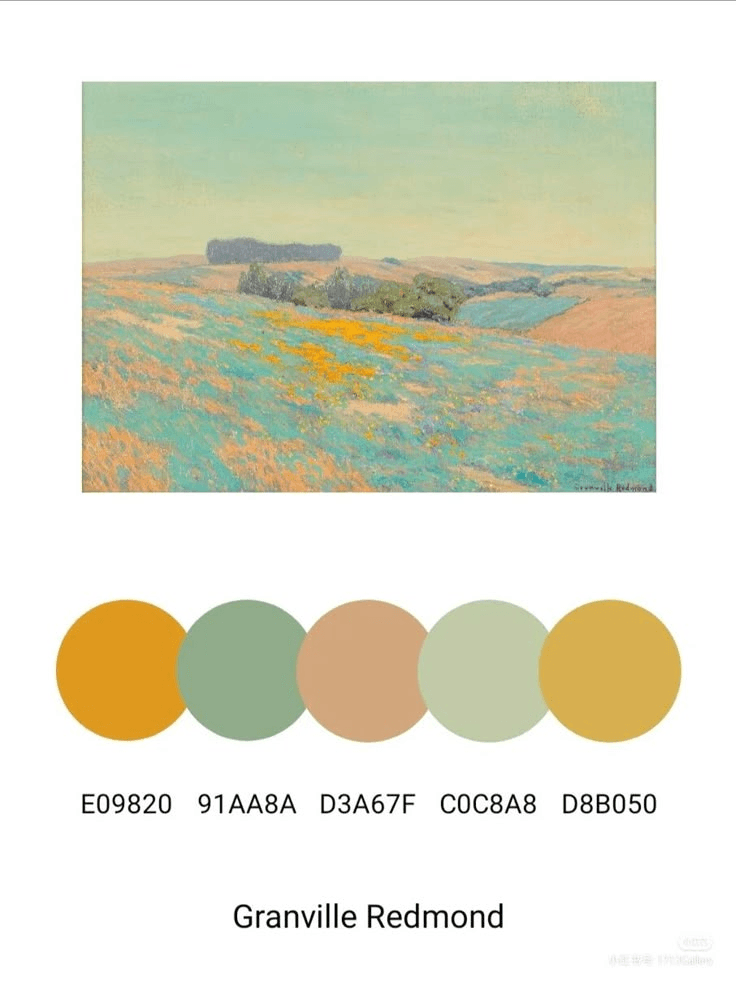

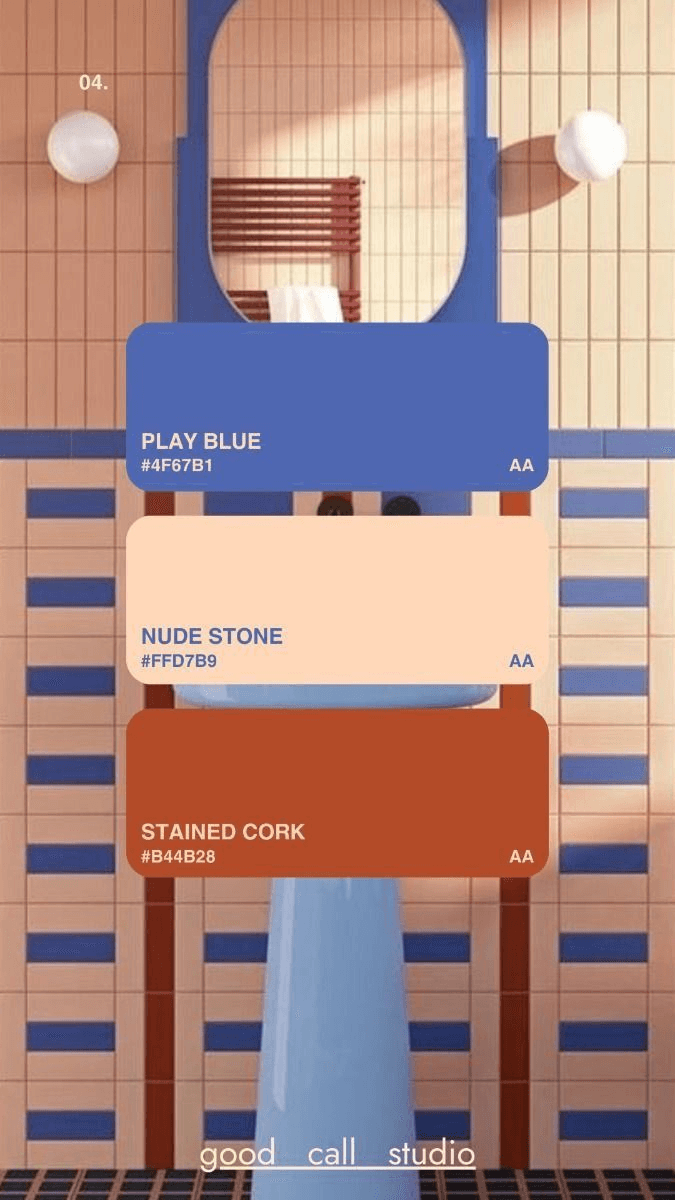





Colors
Primary Color
#F9F7FA
#FFF3DF
#DFCCF3
#FFDE96
Active
#34333E
Inactive
#6B6976
Text
Light
#B2B1BA
#EC7429
Secondary Color
Accent
Background
#B1BCA6

Future Direction
Takeaways
Takeaways
Hi-fi Prototype
Improvements
Wireframing
Hi-fi Prototype
Phone Screens
Initial Landing and Home Screens
We improved our design by applying our branding style and incorporating feedback, refining features for each section, and adding more screens to create a smoother, more intuitive user flow.
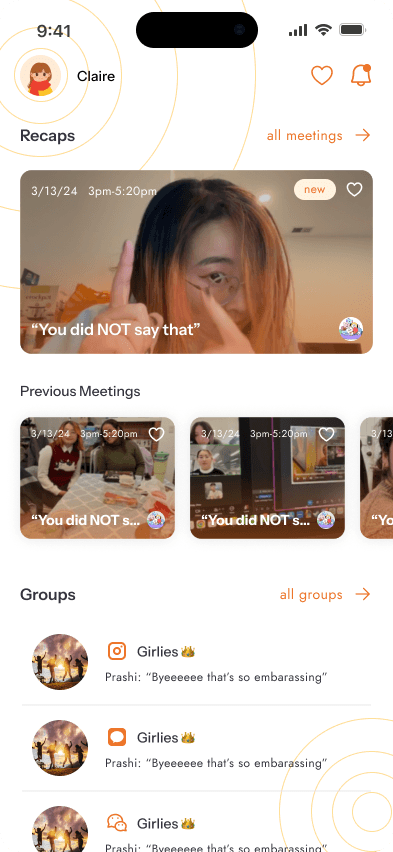
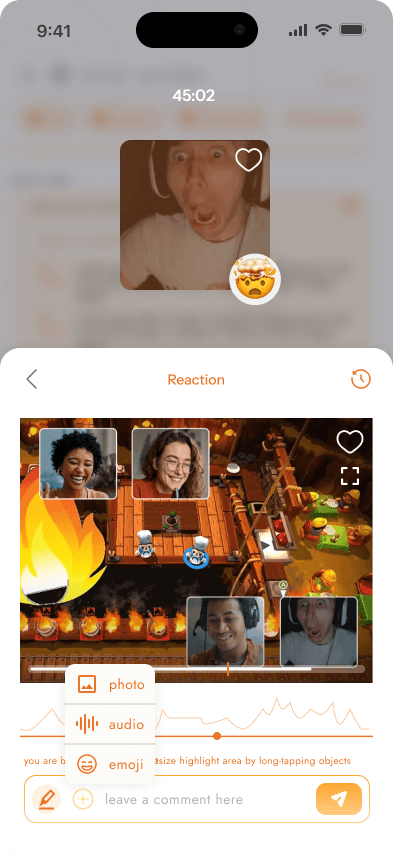
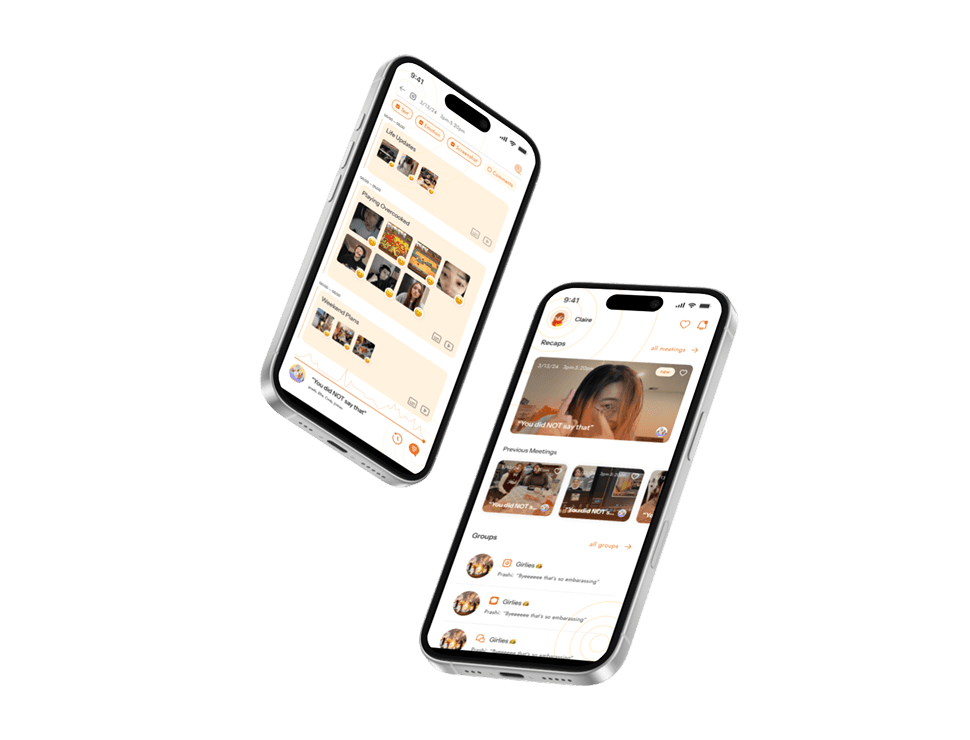
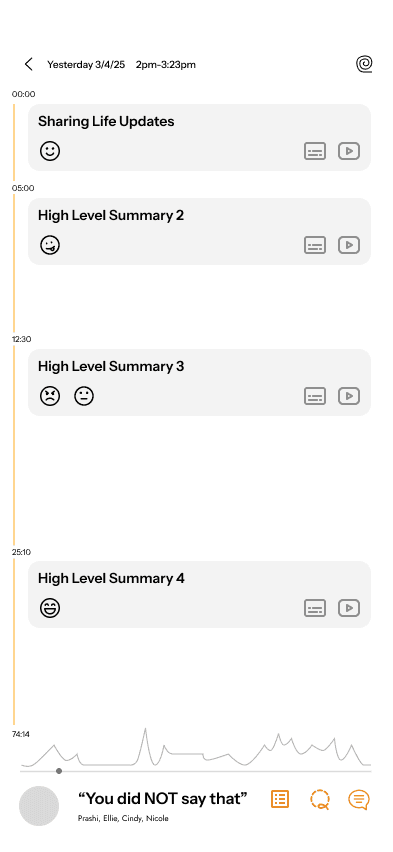
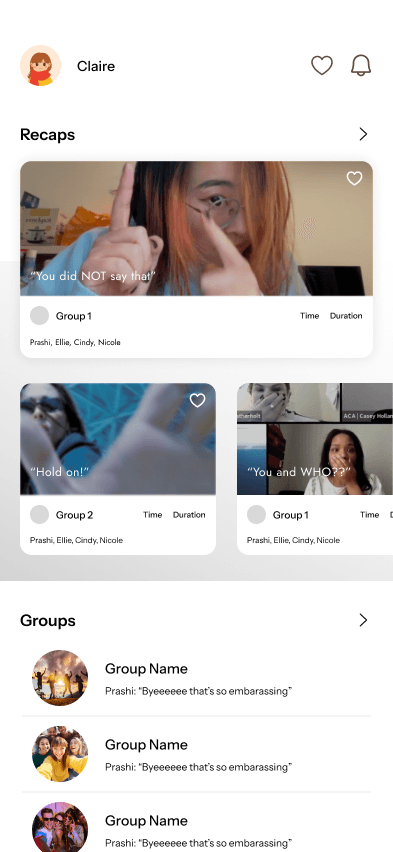
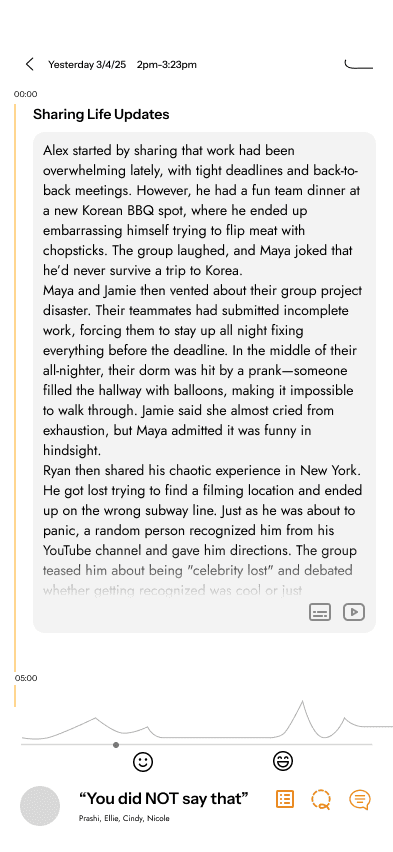
When users first open the app, they land on the home page, where they can see recaps of all past meetings. Upon opening a meeting, they’re able to view key emotional moments along with reactions and highlights from those moments.
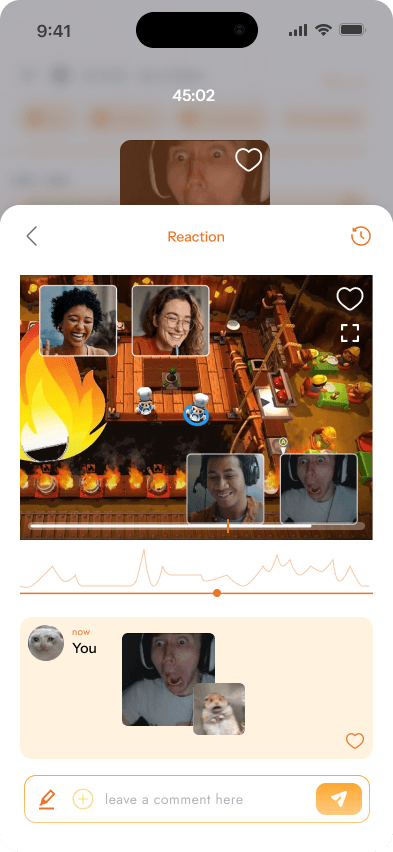
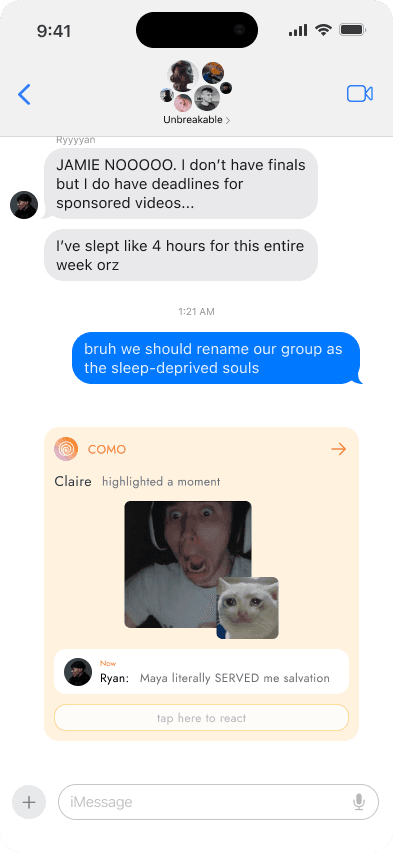
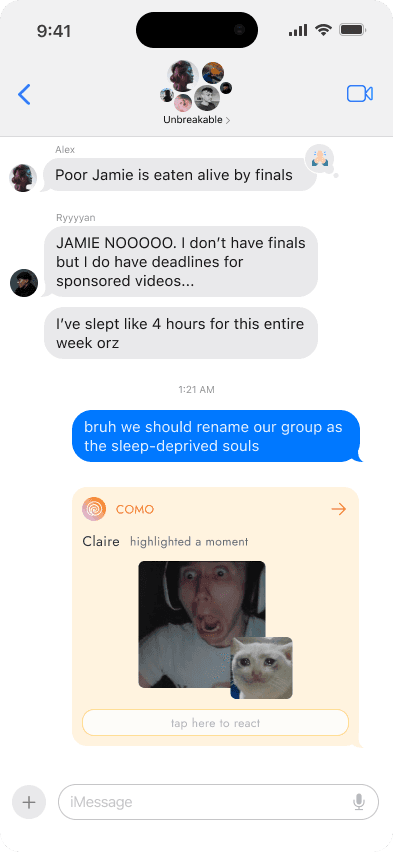
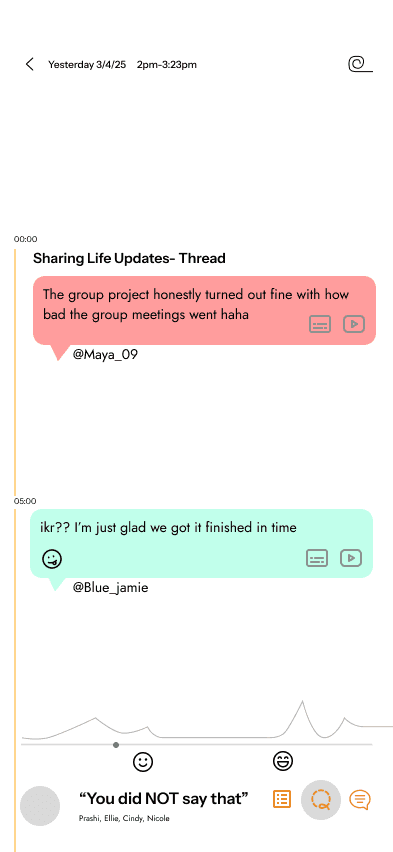
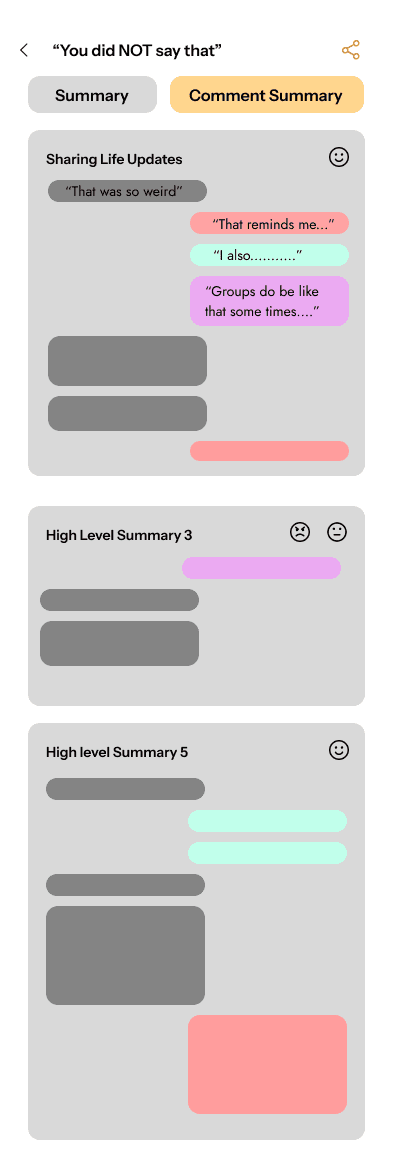
Another key feature of COMO is its cross-platform conversation support—comments can be shared to other apps and continued there, or users can keep chatting within COMO itself.
Semantic Zooming Summary
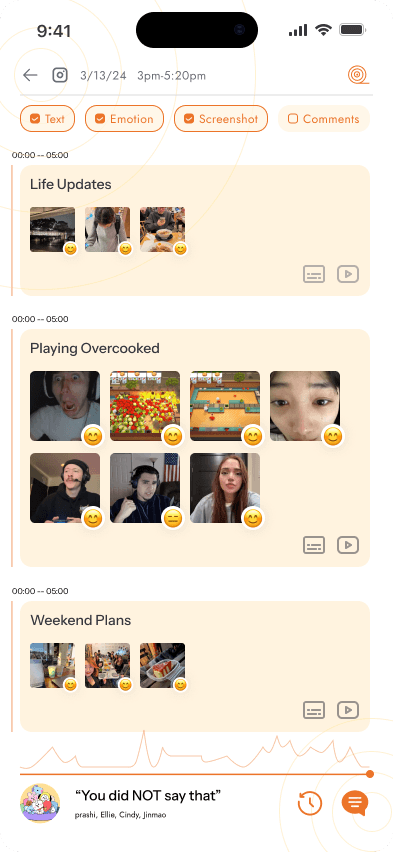
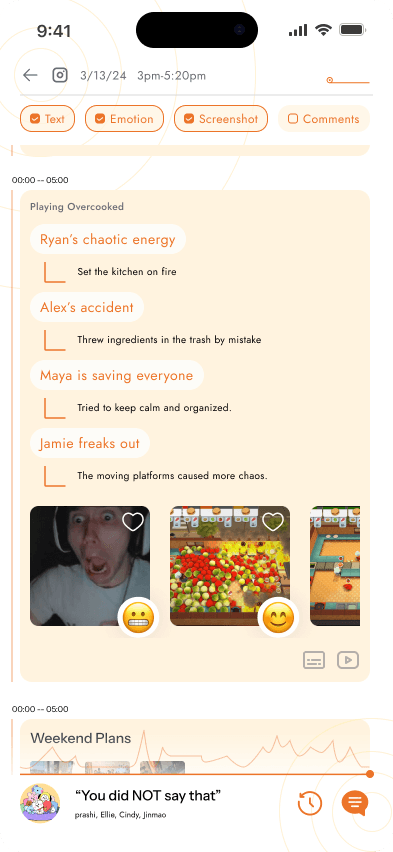
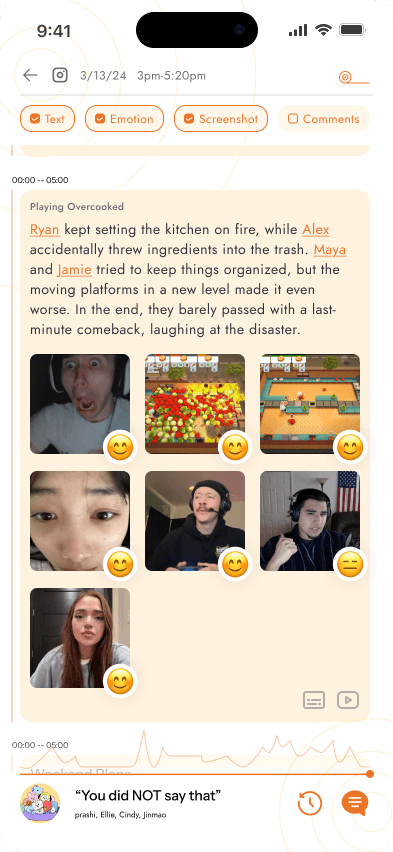
Like a roll cake, each key moment can be unrolled to reveal more layers—details about the note, reactions, comments, and video clips. This creates a more engaging experience, allowing users to explore emotional highlights and interact with the content on multiple levels.
Personalized Summaries
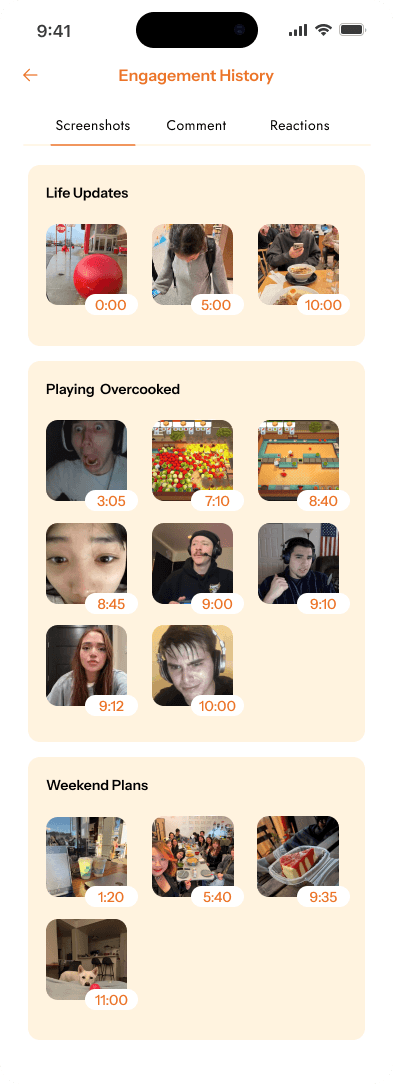
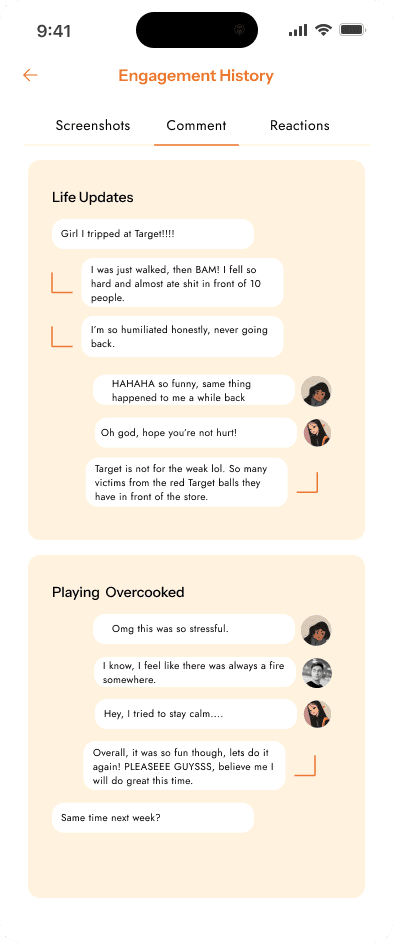
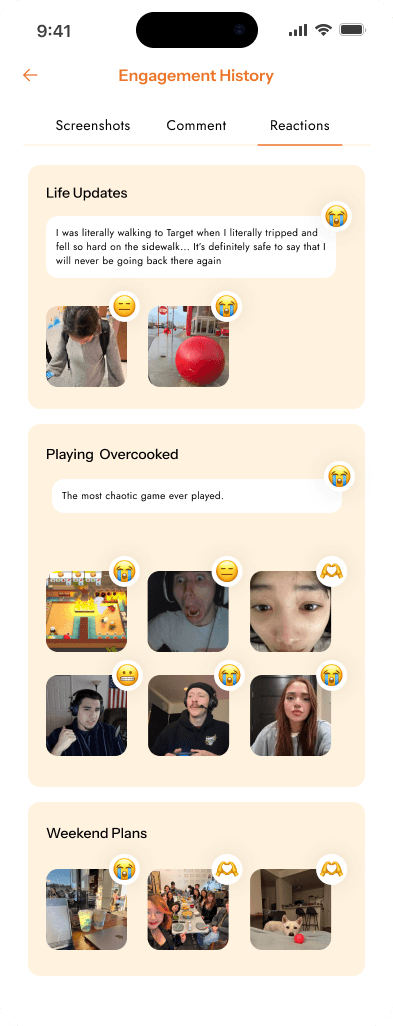
After engaging with a meeting, users can revisit the specific moments they interacted with—such as places they commented, took screenshots, or reacted—creating a personalized trail of their experience.
We used Figma to design our initial features and screen flows, focusing on enabling users to explore information freely and view feedback-forward summaries.
Home Page: Displays all past meetings with multiple summary levels for each video, allowing users to quickly browse and revisit key content.
Exploration Levels: Lets users dive deeper into specific moments, helping them determine which parts are most relevant or interesting.
Summary Pages: Offers personalized summaries based on what the user is exploring—highlighting the content they’re most engaged with.
COMO addresses these problems, enhancing the experience and creating a more engaging way to connect:
Rigid Templates → Semantic Zooming
Instead of static layouts, semantic zooming lets users seamlessly transition from broad overviews to detailed content, like a roll cake unrolling, ensuring intuitive and engaging navigation.
Poor Exploration → Rich Engagement
We enhance discoverability with intuitive interactions like liking, dragging through videos, and reacting to key moments. By prioritizing recognition over recall, familiar emojis make engagement effortless and natural.
Lack of Social Aspect → Seamless Integration With Conversations
We integrate shared content directly into chats, making it easy to engage with friends on platforms like Instagram and Discord, with minimal effort and seamless navigation.
Surface Level Information → Personalized Summary
We provide a centralized space for users to review their interactions, offering personalized summaries with screenshots, comments, and reactions, all organized for easy access and exploration.
Through this project, I gained a deeper understanding of academic research and how to design from an academic standpoint. Rather than focusing solely on the end product, COMO emphasized creating a design system rooted in interaction—solving a real problem through thoughtful structure and experience.
Applying HCI Methods to Real-World Design: Learned how academic practices like user research and iterative design directly inform product development—encouraging a systems-level approach, not just screen-based thinking.
Articulating Vision Through Collaboration: Gained experience turning abstract ideas into actionable concepts, developing strategies to align diverse perspectives and lead the team toward cohesive outcomes.
Brainstorming Beyond Feasibility: Shifted focus from “what’s doable” to bold, unconventional ideas—exploring solutions that broke from standard patterns and addressed deeper user needs.
Designing for Interaction and Emotion: Integrated emotional engagement, functionality, and user interaction to imagine a richer, more meaningful design system with layered features.
Enhance External Motivation: Increase focus on users’ engagement history to provide personalized feedback and encourage continued interaction. Adding motivation features could help sustain user participation over time.
User Testing Plan: Conduct thorough user testing to evaluate how well COMO works in real-world scenarios. This will help identify usability issues, gather feedback, and guide improvements to better meet users’ needs.
The home page allows users to view past meetings, with emotional key points summarized when opening a meeting.
Opening a meeting reveals emotional highlights with video clips, where users can view semantically zoom key moments, comment, and interact with friends.
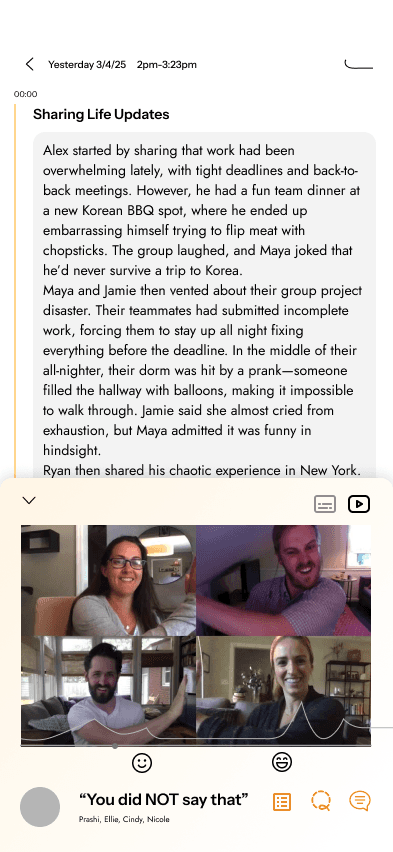
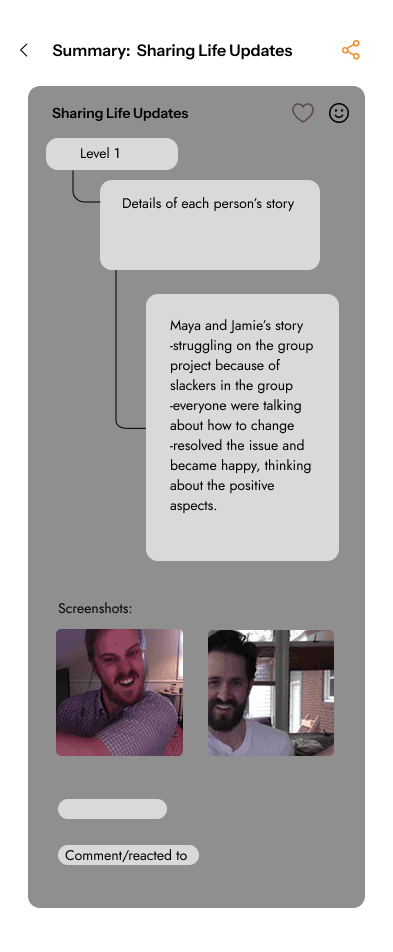
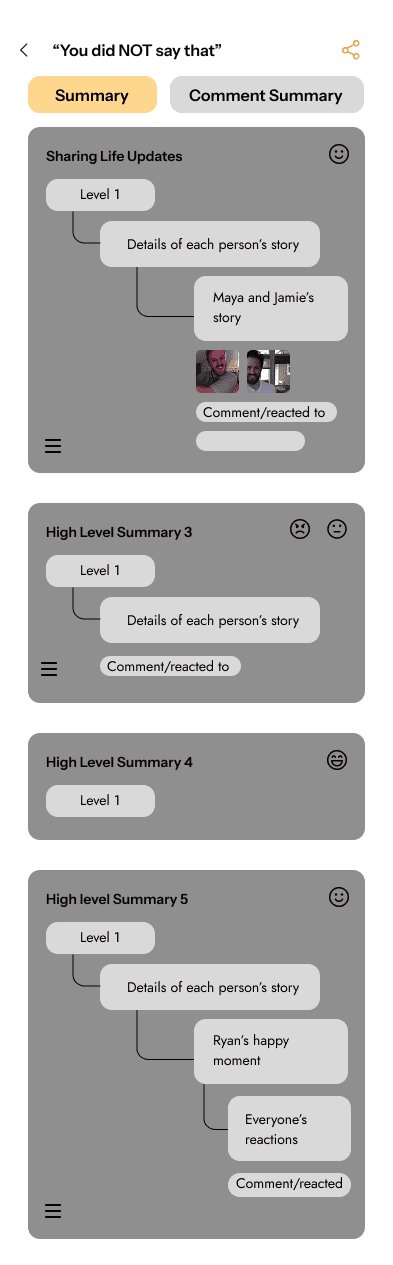
Personalized summaries generated from the moments you explored to the comments tied to where you left off.